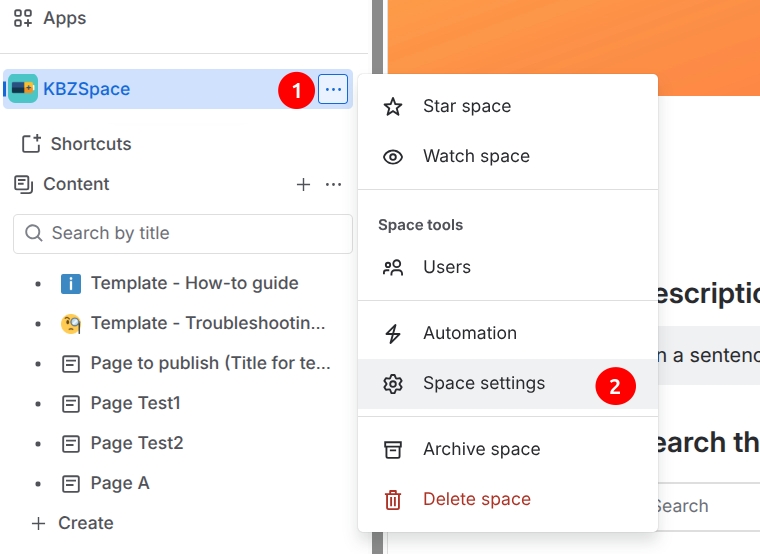
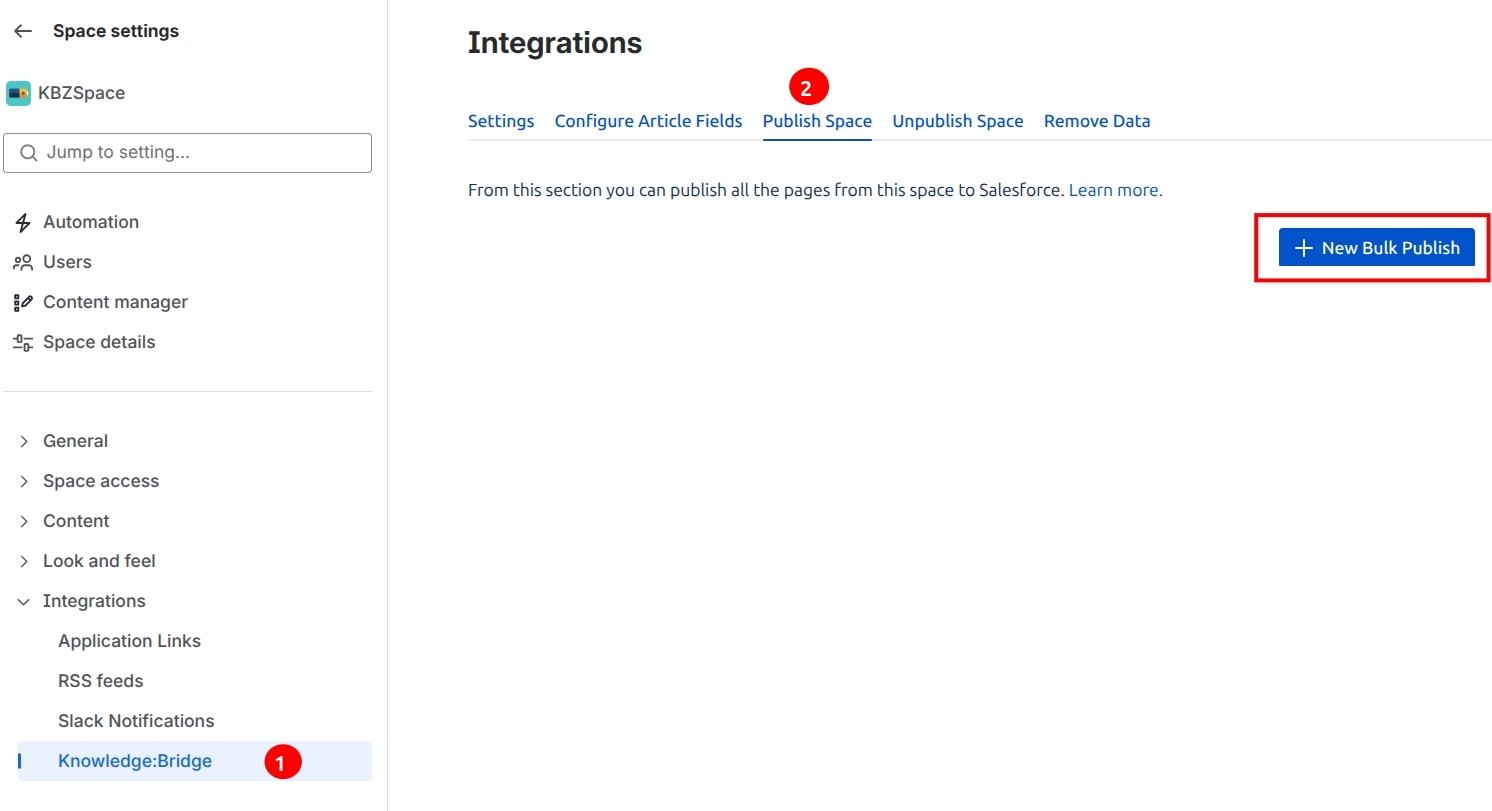
Knowledge:Bridge provides the ability to bulk publish multiple pages in a Confluence Space to Salesforce Knowledge Articles. The ‘Publish Space’ feature from Confluence Space Settings perform the bulk publish action on the selected content in a Space.
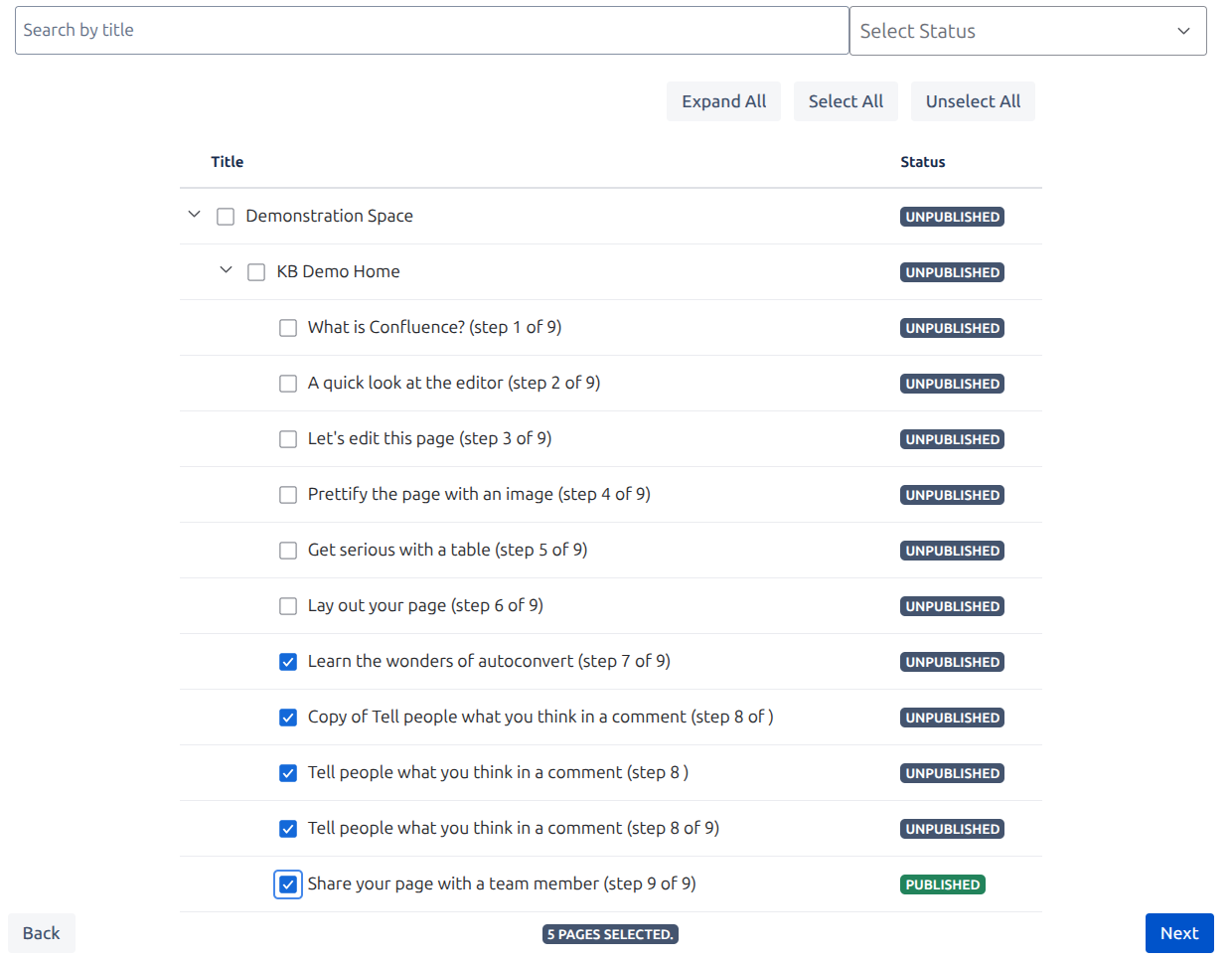
The pages can be filtered by Title or by Status.
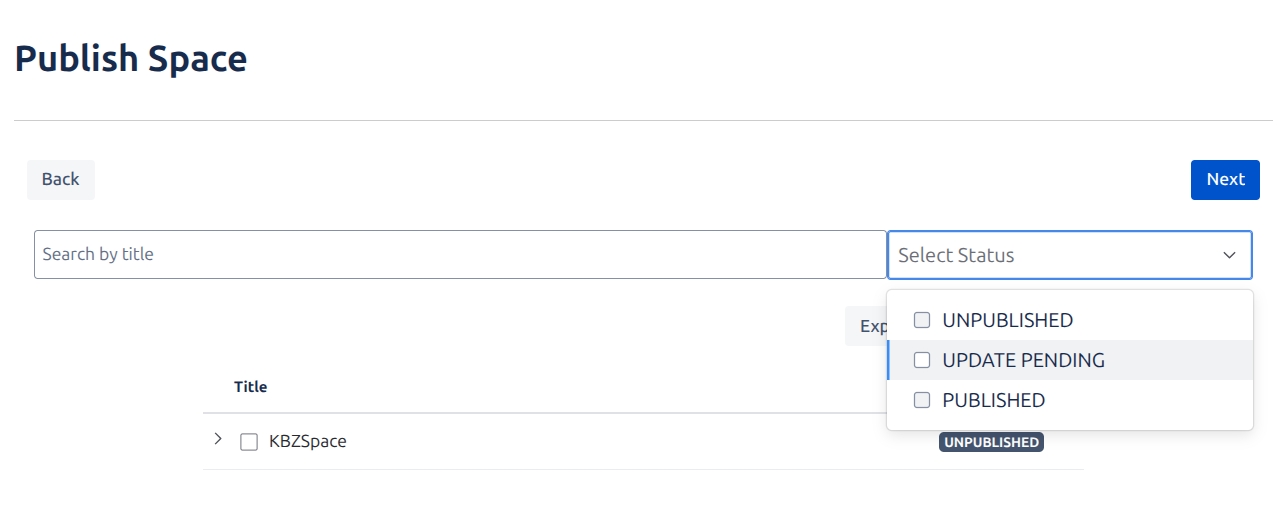
This action will cause the selected pages to be published or updated (if previously published). By default selecting a page will also select all its descendants, use Alt/Option + Click to select individual pages, or right-click on the checkbox (or page title) for more selection options.
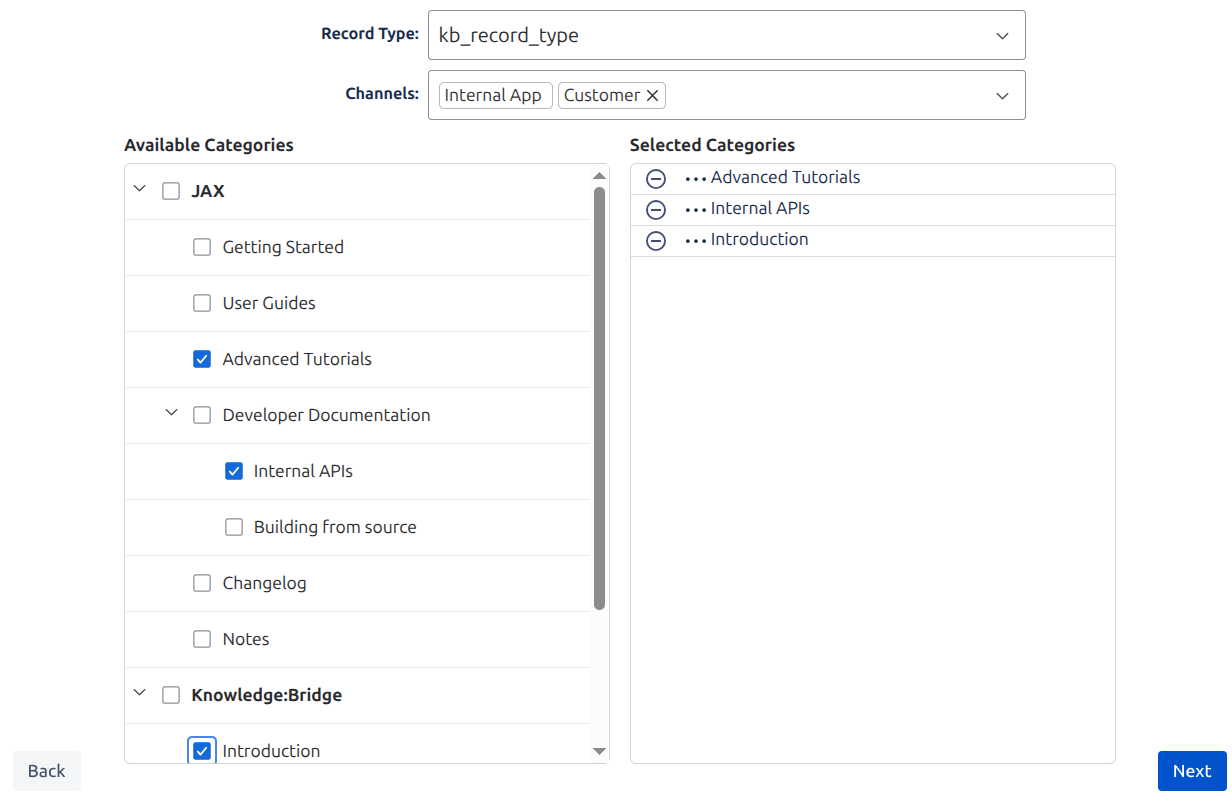
Metadata can be assigned to pages that will be published for the first time. (Categories, Channels, and Record Type)
Note that bulk publish creates or updates Articles in Salesforce Knowledge in Draft mode (the articles can be reviewed and made Online in bulk from Salesforce).
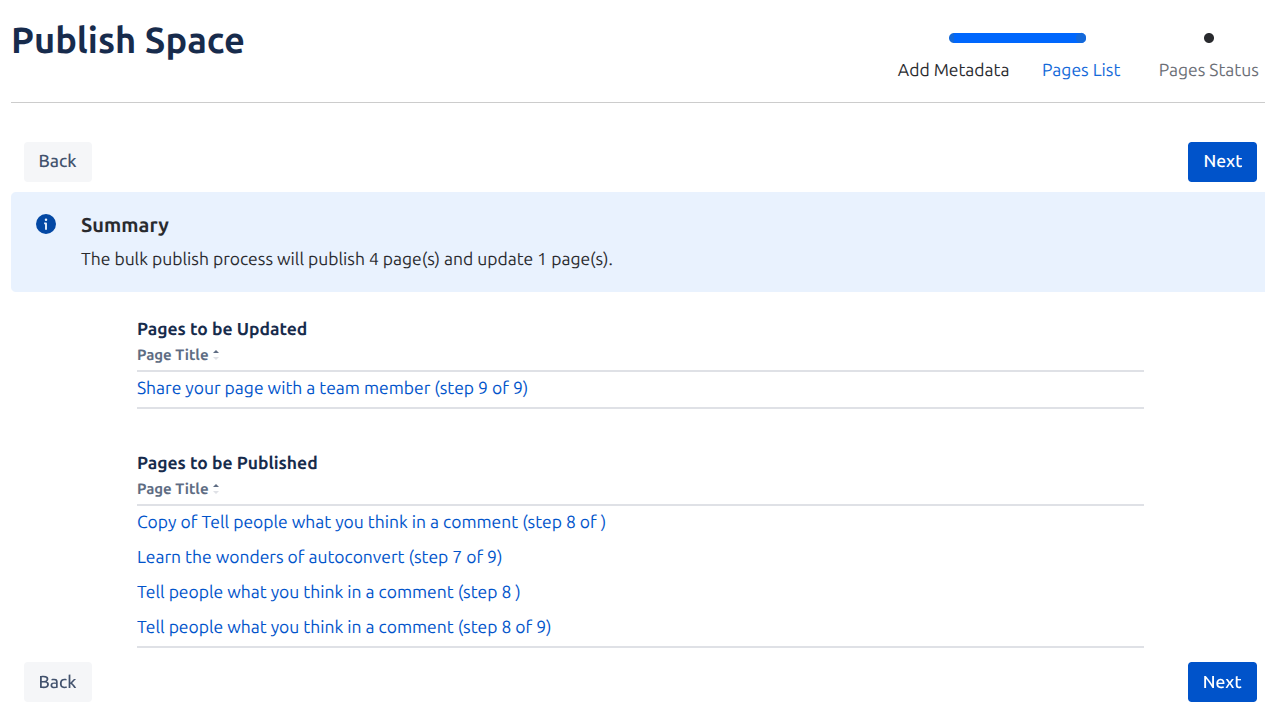
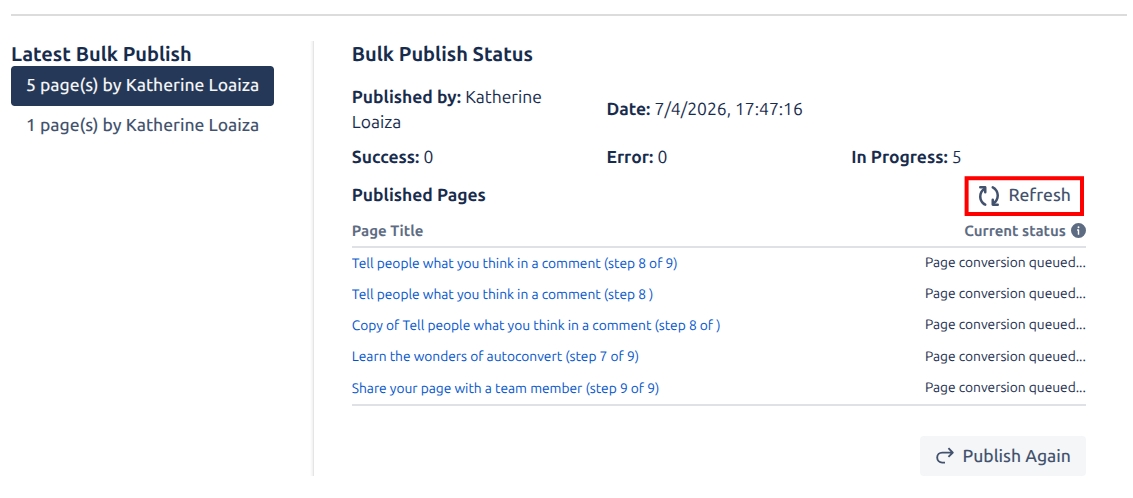
Once bulk publish is confirmed, the pages will be queued for publish and you will get redirected to view the progress of the bulk publish. Use the refresh icon to review the progress.