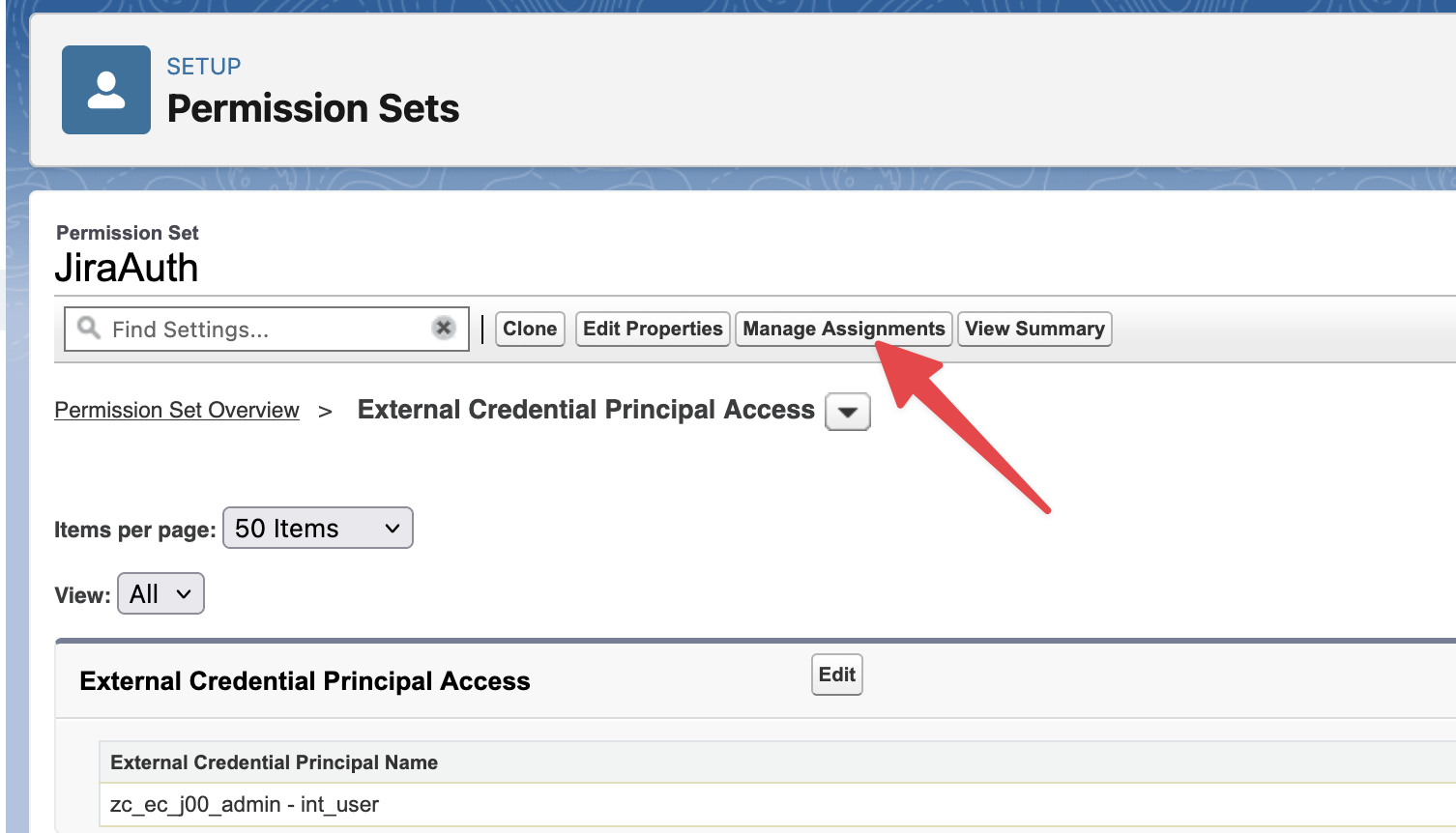
Create a new Permission Set to grant Salesforce users access to use the External Credential created earlier for Jira connection. For more details on how to create a new permission set in Salesforce refer to Create Permission Sets.
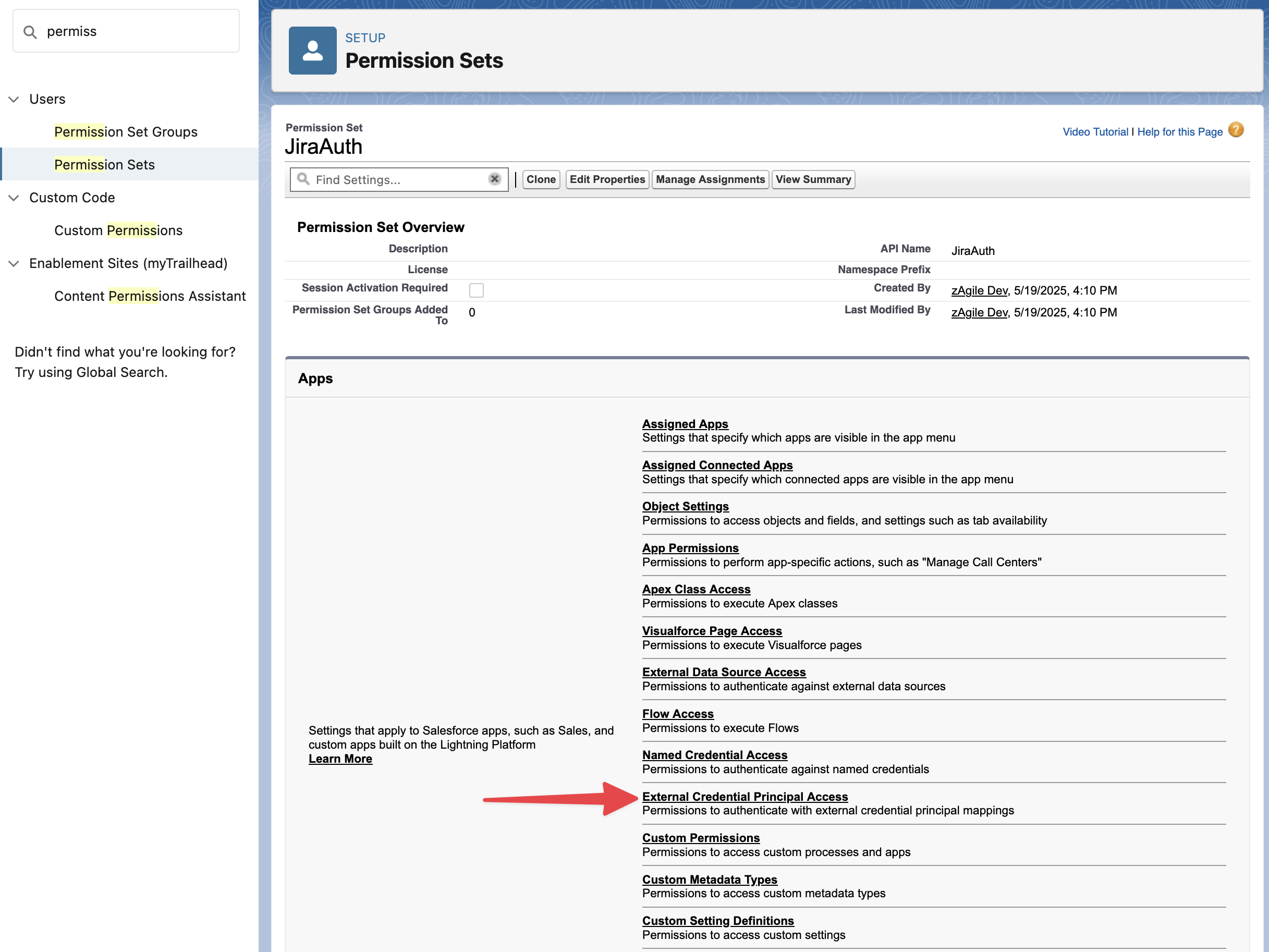
In the permission set, edit the External Credential Principal Access
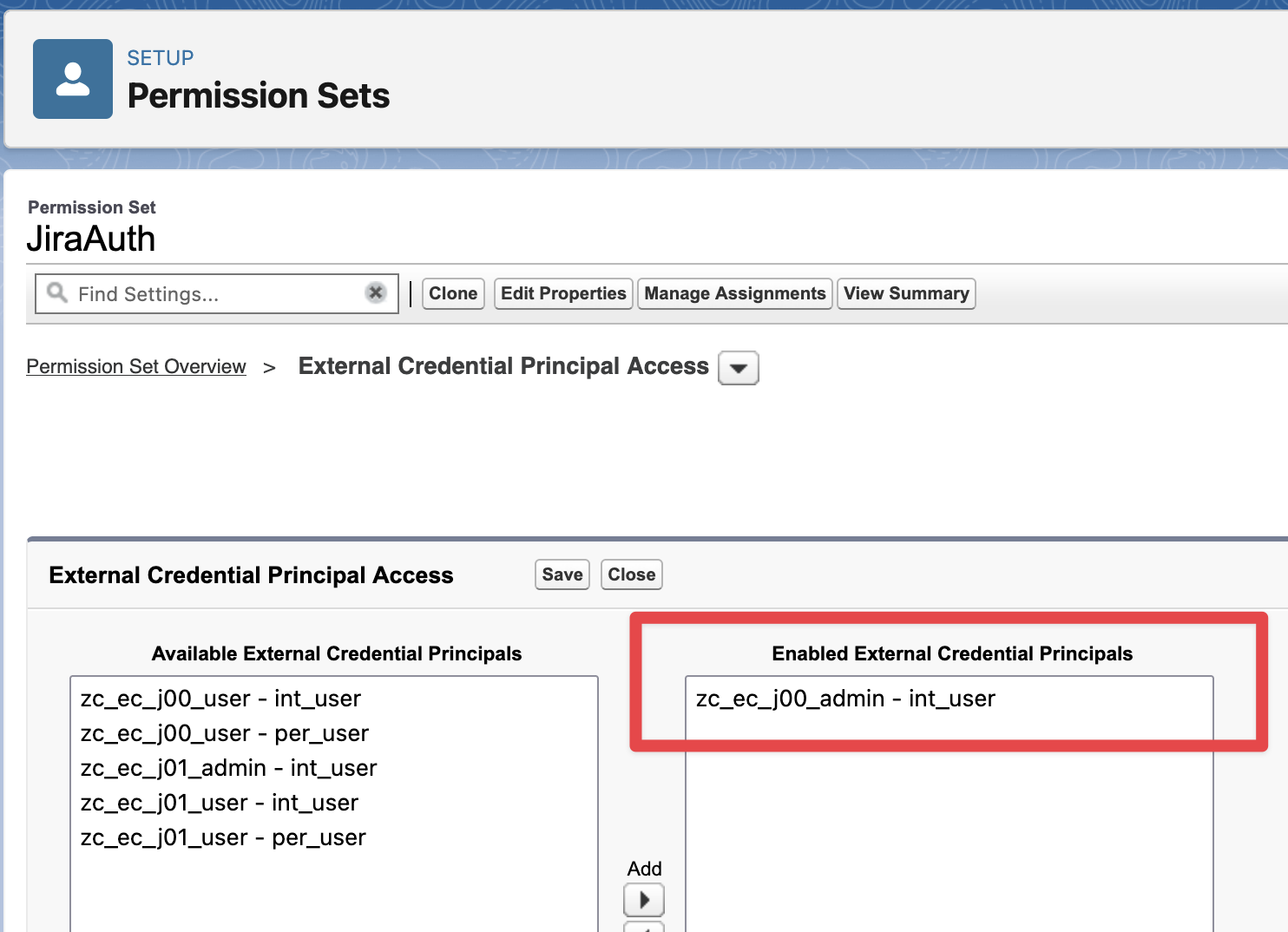
Add the “zc_ec_j00_admin - int_user“ to the Enabled External Credential Principals section and Save
Note: The name - zc_ec_j00_admin - int_user may be different when connecting to multiple Jira instances. j00 refers to the first Jira connection
Finally, assign this Permission Set to all Salesforce users who will need access to Jira actions (including at least the Salesforce user that is configuring zAgileConnect)