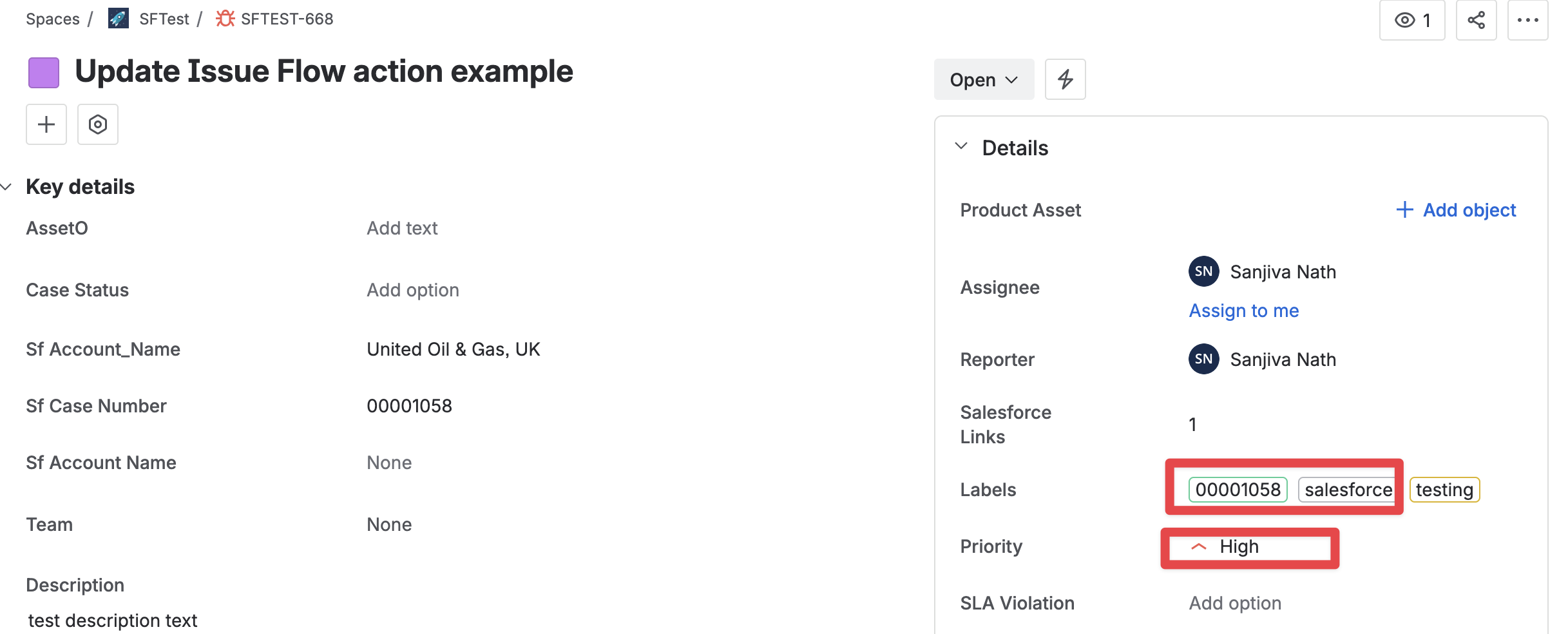
You can update an Issue by using Salesforce Flow and adding the “Update Issue v2“ action to your flow. The action has the following fields:
Update Issue v2 Action Fields
|
Field |
Type |
Required |
Description |
|---|---|---|---|
|
Edit Metadata |
|
The metadata information necessary for updating a Jira Issue. It can be retrieved using the zAgileConnect Flow Action - Get Issue Edit Metadata or zAgileConnect Flow Action - Get Issue with the “Retrieve Fields Edit Metadata“ enabled. |
|
|
Issue Type |
String |
|
The Issue Type Name for the Jira Issue. For example 'Bug', 'Task'. |
|
Summary |
String |
|
A brief one-line summary of the Issue. |
|
Description |
String |
|
A detailed description of the Issue. |
|
Environment |
String |
|
The hardware or software environment to which the Issue relates. |
|
Labels |
String [] |
|
Labels to which this Issue relates. |
|
Priority |
String |
|
The importance of the Issue in relation to other issues (e.g. High, Low, Lowest). |
|
Due Date |
Date |
|
The date by which this Issue is scheduled to be completed. |
|
Affects Versions |
String [] |
|
Project versions for which the Issue is (or was) manifesting. |
|
Fix Versions |
String [] |
|
Project versions in which the Issue was (or will be) fixed. |
|
Components |
String [] |
|
Project components to which this Issue relates. |
|
Reporter |
|
The Jira account who entered the Issue into the system, use the zAgileConnect Flow Action - Find Jira Users to retrieve a Jira user account from username, display name or email. |
|
|
Assignee |
|
The Jira account whom the Issue will be assigned, use the zAgileConnect Flow Action - Find Jira Users to retrieve a Jira user account from username, display name or email. |
|
|
Issue Link |
|
The Issue Link to another Issue. For example “relates to“, “duplicated by”. |
|
|
Security |
String |
|
The Security Level for the Jira Issue. |
|
Time Tracking |
|
The original and remaining time estimates for resolving the Issue. |
|
|
Custom Fields |
|
The list of custom fields, it accepts a list of ZFlowCustomField apex objects. |
|
|
Raw JSON Fields |
String |
|
[Optional] Use this input to set Jira Standard or Custom Fields for types that are not supported by zAgileConnect. This input accepts a JSON Object where each attribute represents a field. The expected JSON format for each field type is defined by the Jira Rest API for editing Issues. |
|
Sanitize Fields |
Boolean |
|
When set to true, it ignores passed Issue fields that do not match the Edit Issue Screen fields defined in Jira. |
Update Issue v2 Output Fields
|
Output |
Type |
Description |
|---|---|---|
|
Error Messages |
String [] |
A list of error messages associated with the Jira Issue update. |
|
Has Error |
Boolean |
Indicates whether there is an error related to the Jira Issue update. |
|
Issue Key |
String |
The Issue Key of the updated Jira Issue. |
|
Issue Url |
String |
The Issue URL of the updated Jira Issue. |
This action makes callouts to Jira and so when using it from “Record Triggered Flows“ make sure to use it from within an Asynchronous Path.

Example Flow to Update an Issue in Jira when it is linked to a Case
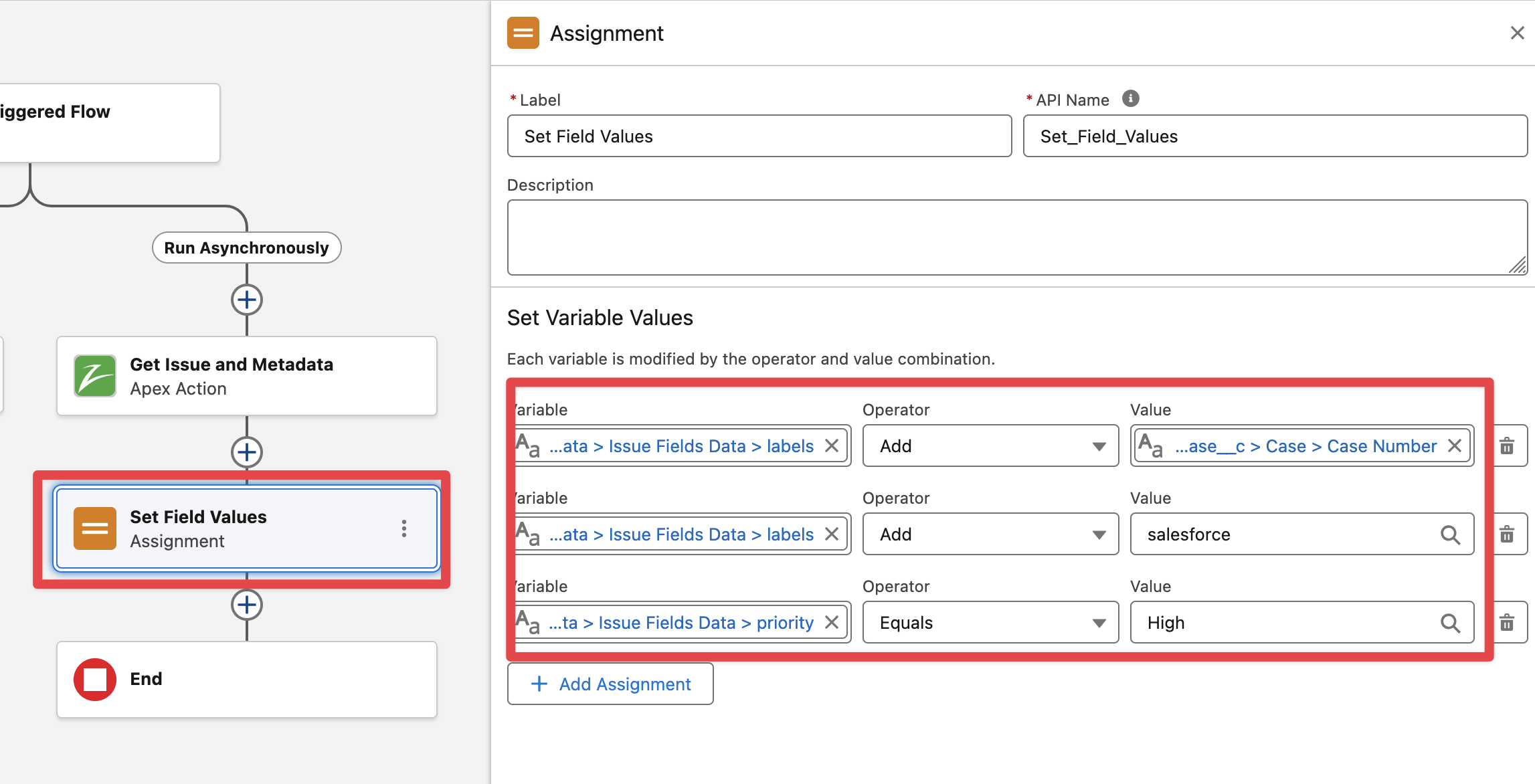
The following example will update some Issue fields when the Issue gets linked to a Case. The flow action will update the Issue priority and add the CaseNumber and “salesforce“ string as Jira Issue labels.
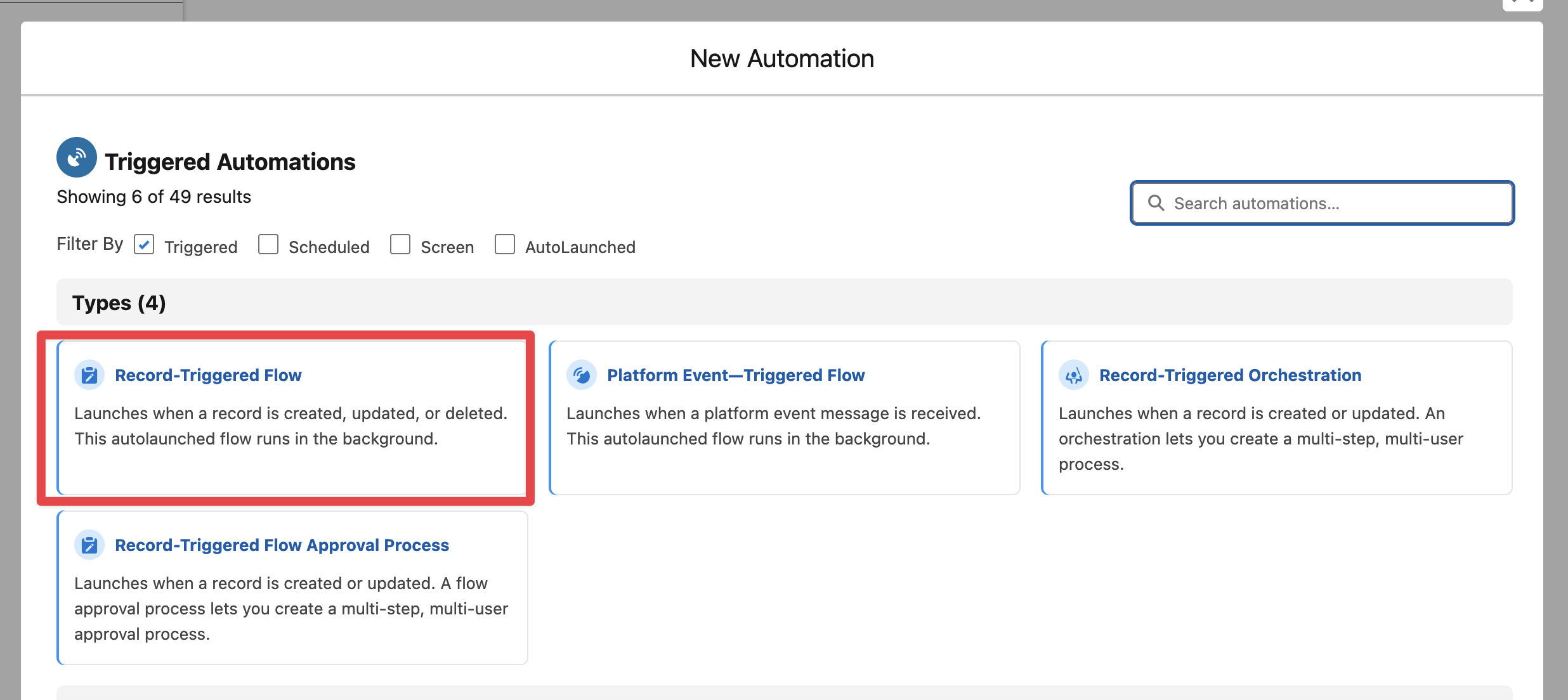
In Salesforce → Flows create a new Record Triggered Flow
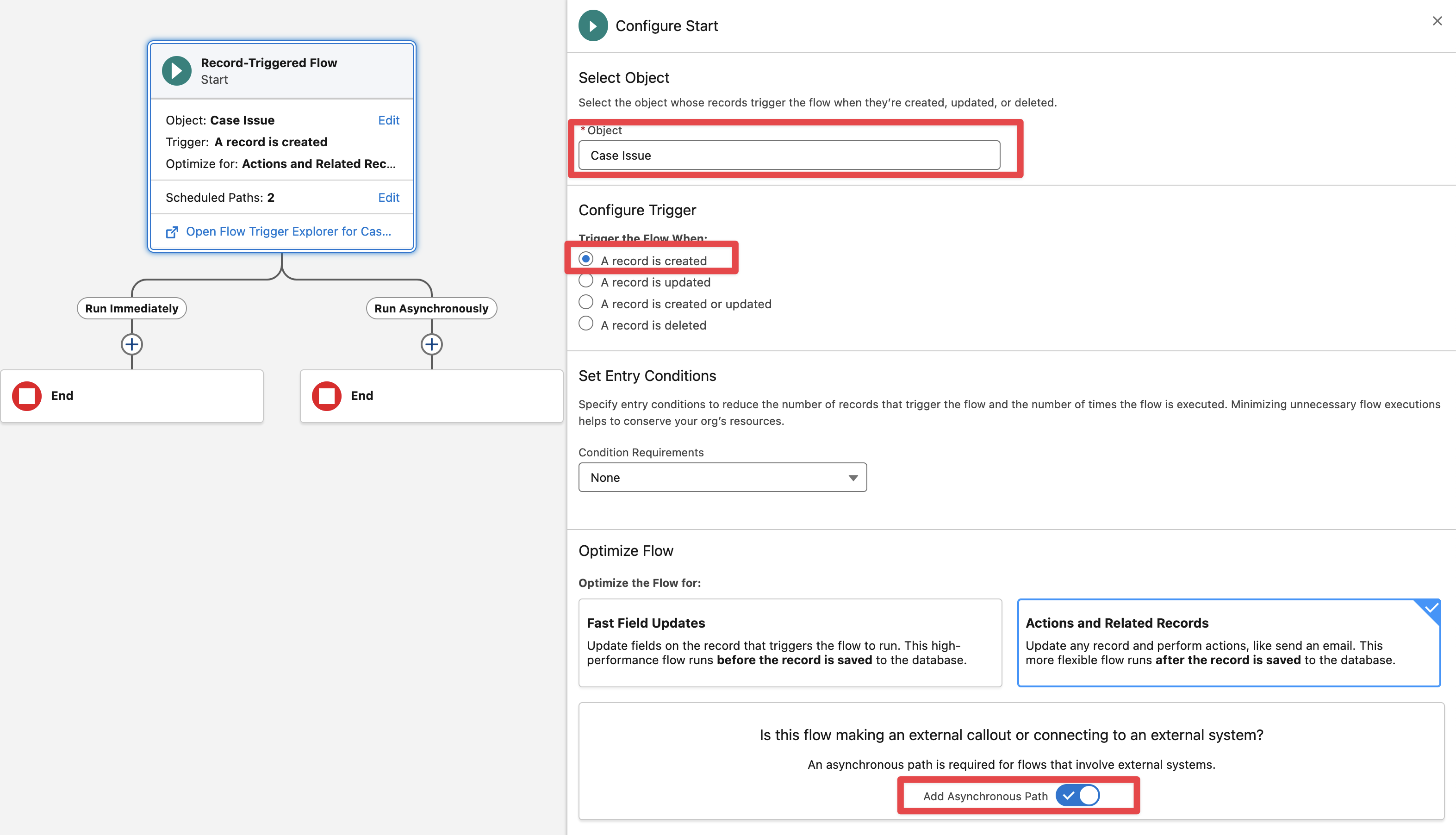
Select the “Case Issue” junction object and the following options:
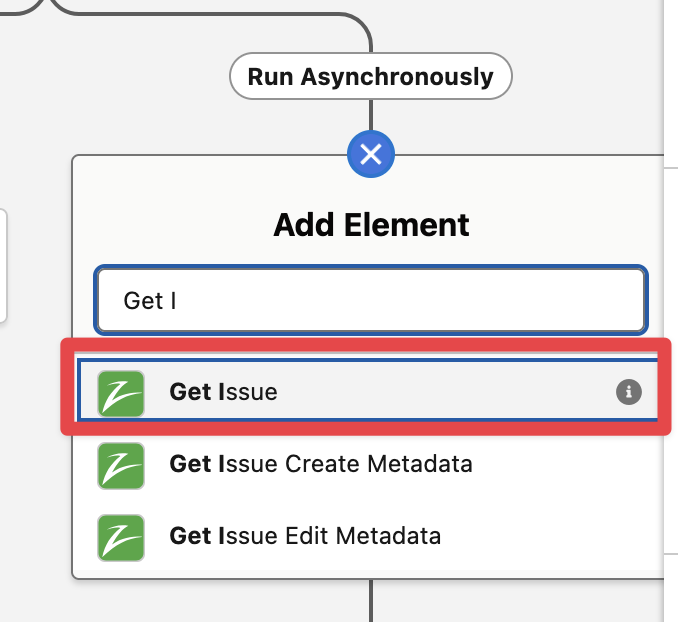
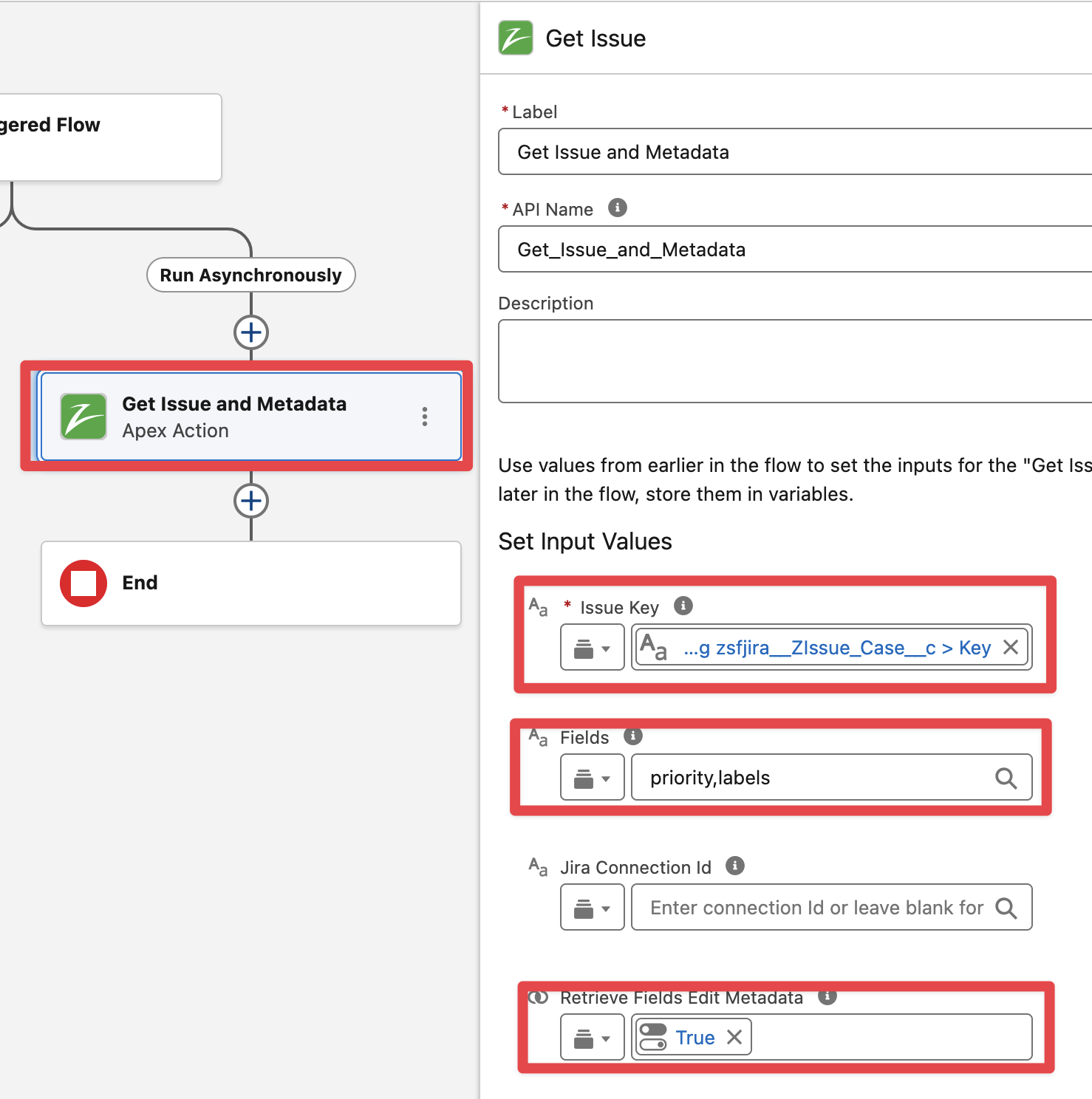
In the Asynchronous path add the “Get Issue“ Flow action (note we are using “Get Issue“ flow action to retrieve both the existing values from Issue fields and the Edit Issue metadata, use “Get Issue Edit Metadata” instead if it is not needed to retrieve the existing Issue field values, for example when the Issue update will just override existing field values“)
Pass the Issue Key value from the Case Issue record name (Key field), specify which Issue fields to retrieve separated by “,” and no blank spaces. Make sure to enable the “Retrieve Fields Edit Metadata“ option
Add an Assignment element to set the Issue field values (field values can be assigned to new resource variables and collections or to the output of the “Get Issue” action, in this example we will be assigning to the output of “Get Issue” directly for simplicity)
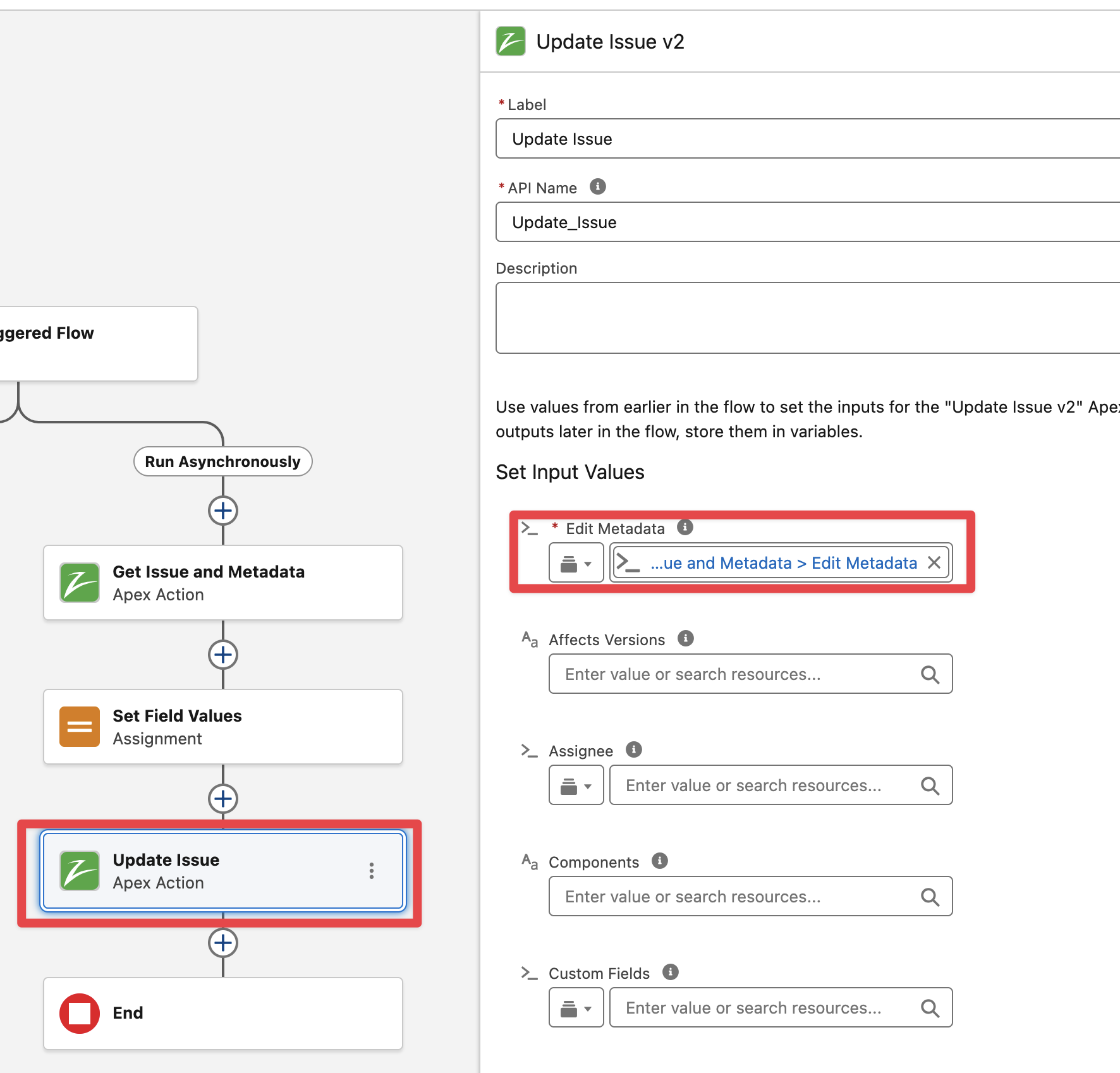
Add the “Update Issue v2“ flow action and pass the Edit Metadata (from the output of “Get Issue“) and the Issue fields to update in Jira
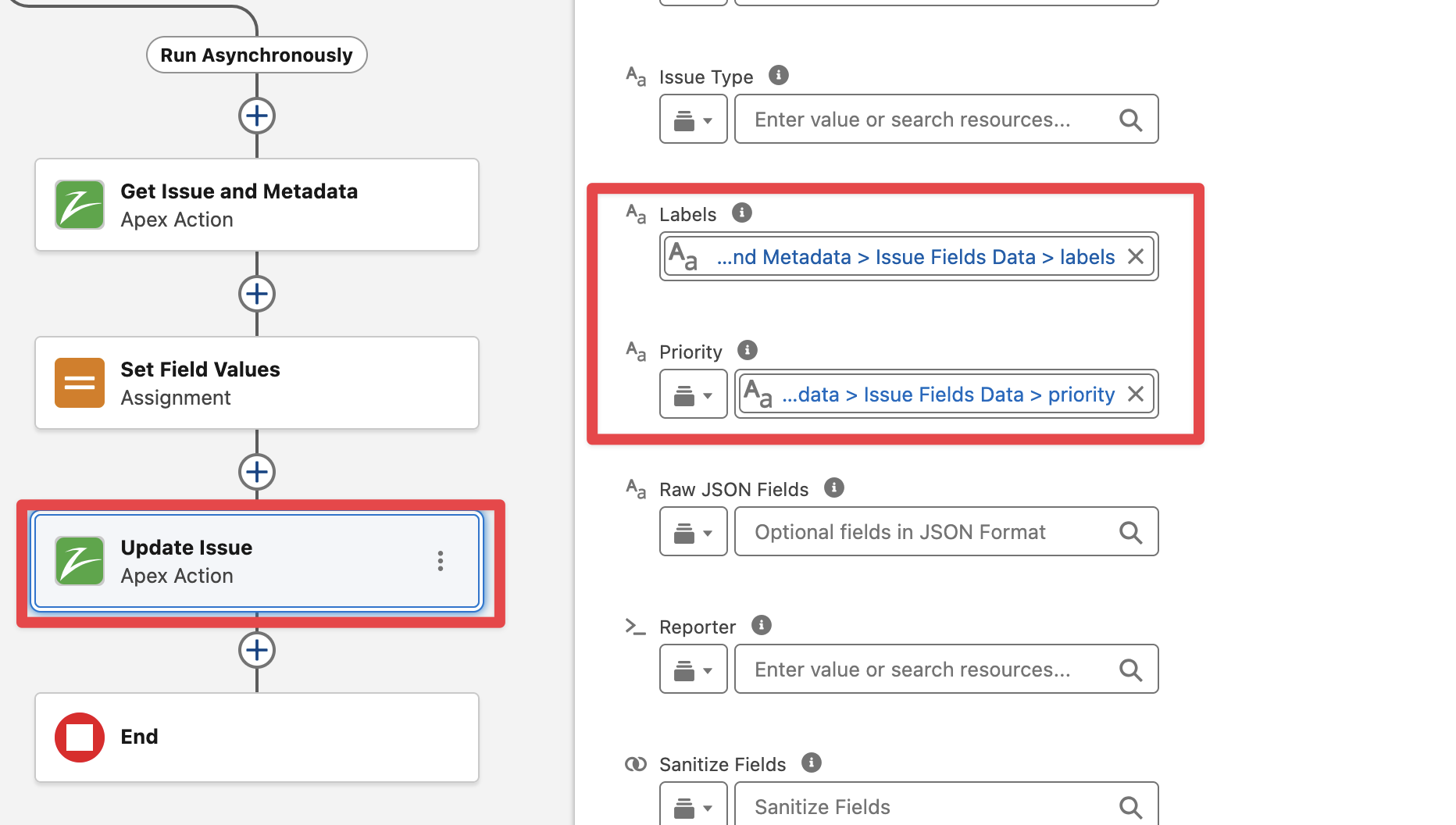
Finally save and activate the flow. Then go to a Case and link an existing Issue, the Issue labels and priority must be updated in Jira.