In this page we will describe all the necessary Salesforce permissions for the Salesforce Integration User using the Minimum Access - API Only Integrations profile.
Salesforce API Only Integration User
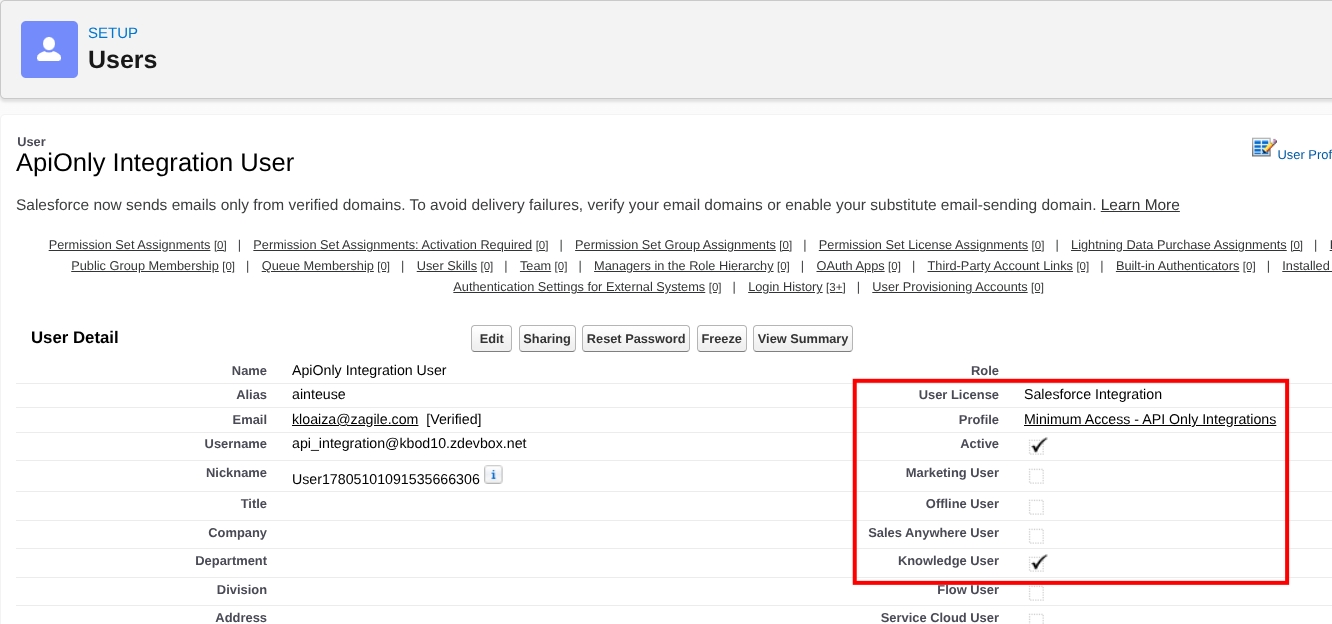
The Salesforce Integration User must have the following properties:
-
User license: Salesforce Integration
-
Profile: Minimum Access - API Only Integrations
-
Knowledge user: enabled
Permission Set License Assignment for API Only Integration User
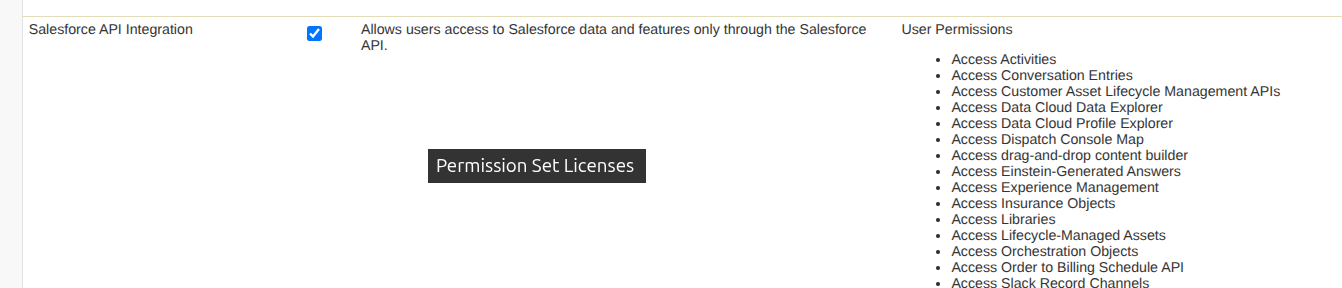
In the user’s page go to Permission Set License Assignments -> Edit Assignments, select the Salesforce API Integration option and save.
Knowledge Access Permission Set for Integration User
Create a new Permission Set for Knowledge access for the Integration User in Salesforce setup.
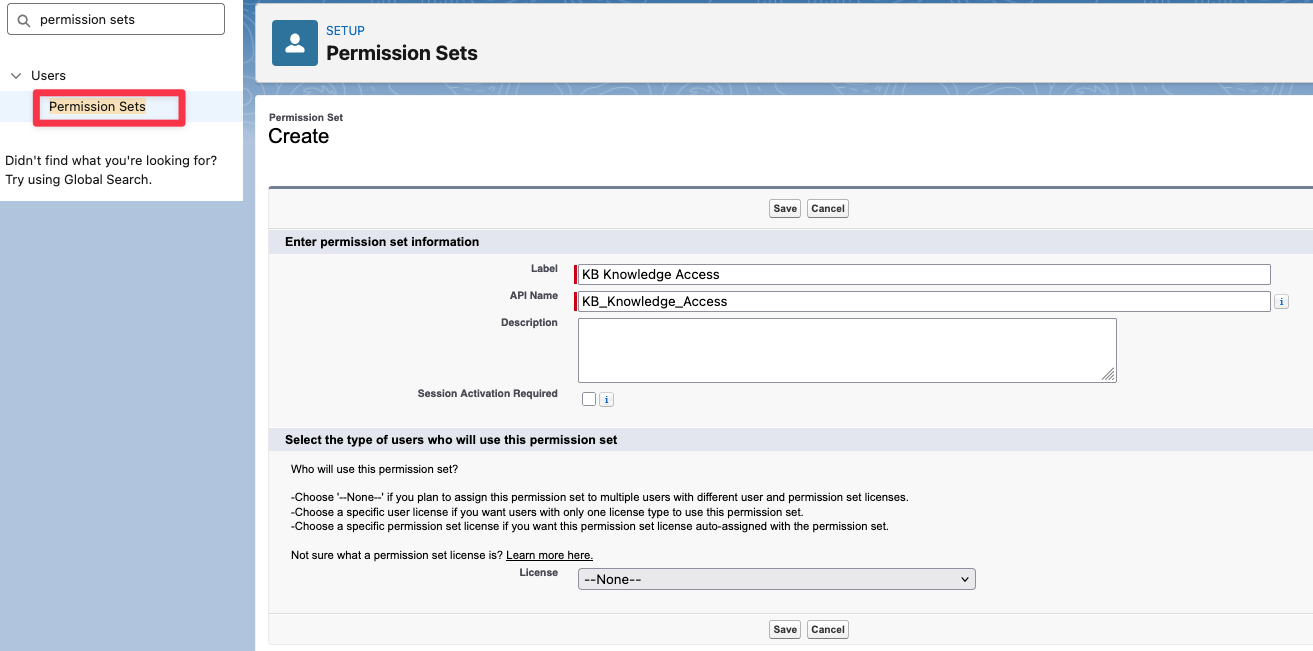
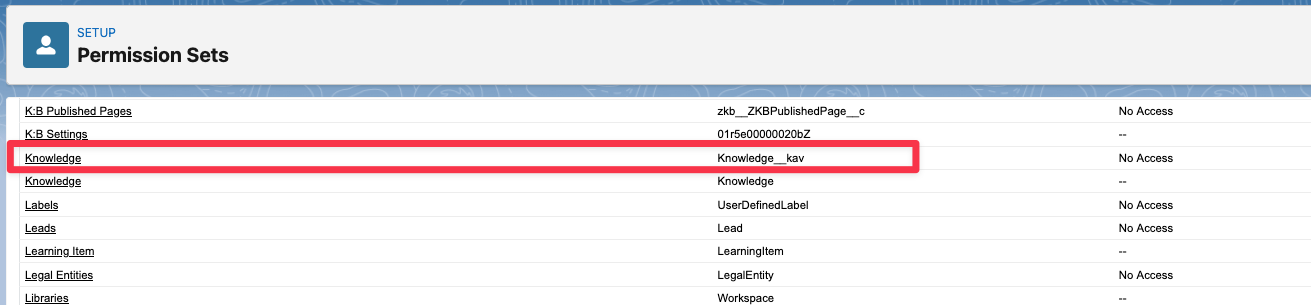
After saving, go to Object Setting in the permission set and find the Knowledge object (Knowledge__kav or similar).
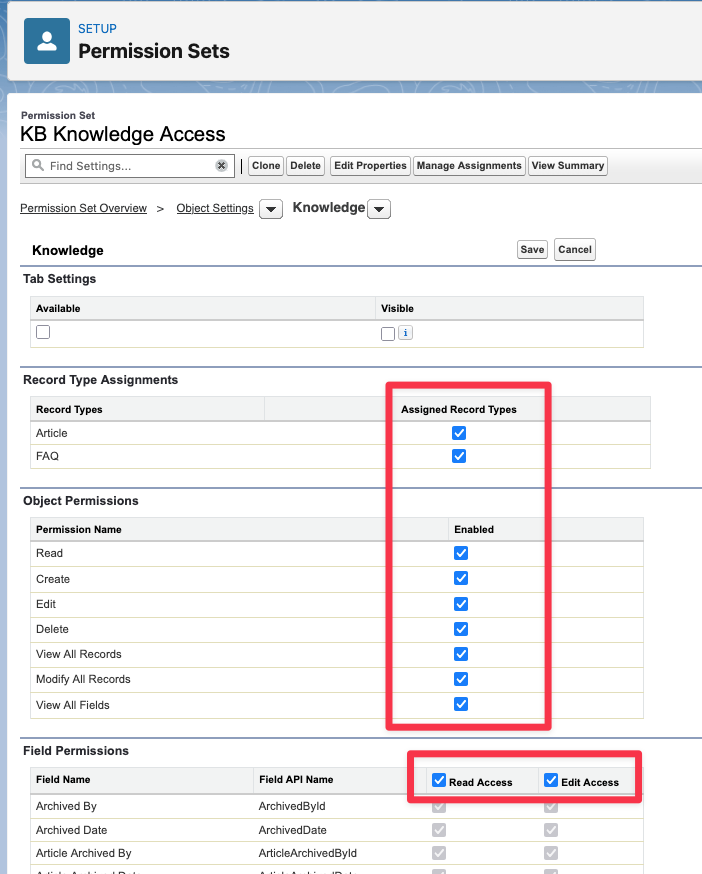
Enable the following permissions and save (make sure to select all the Object Permissions, enable Edit Access to all the fields and select record types if available).
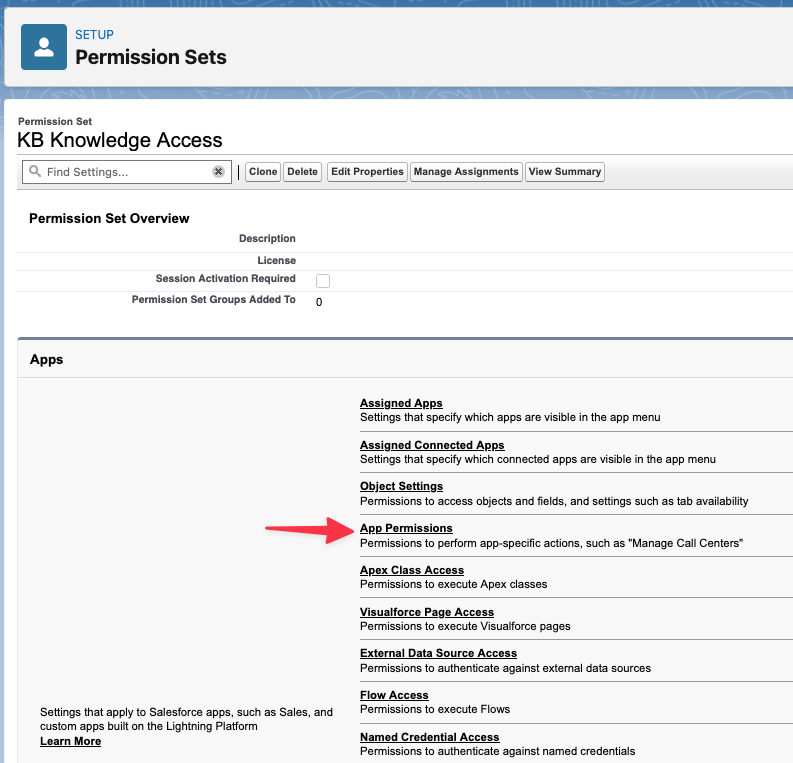
In the permission set overview go to “App permissions“.
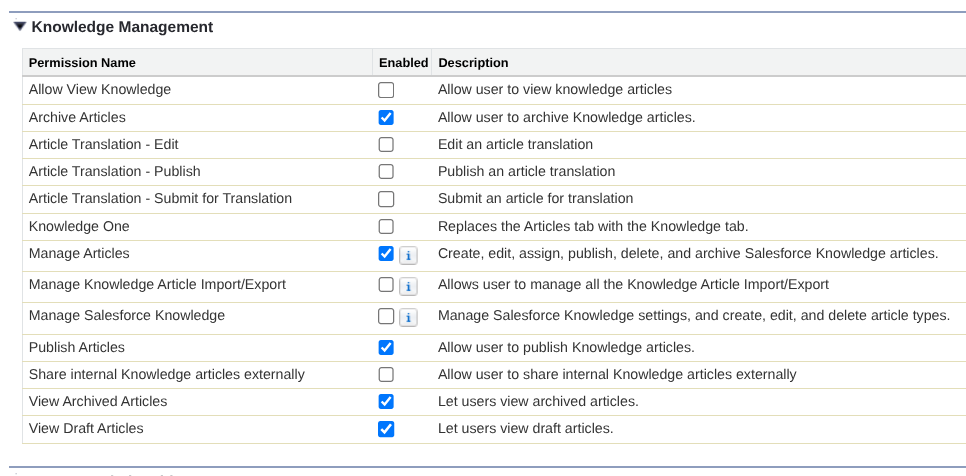
Enable the following permissions in the System Permissions / Knowledge Management sections and save:
-
View Setup
-
Archive Articles
-
Manage Articles
-
Publish Articles
-
View Archived Articles
-
View Draft Articles

Assign Permission Sets to the Integration User
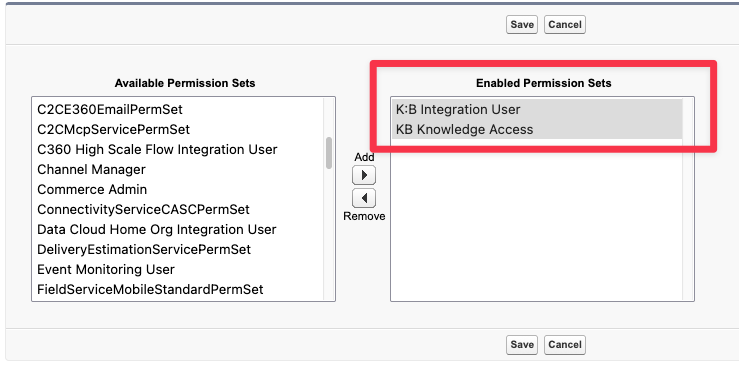
In the user’s page go to Permission Set Assignments -> Edit Assignments, add the permission set previously created and the K:B Integration User permission set (both are required) and save.