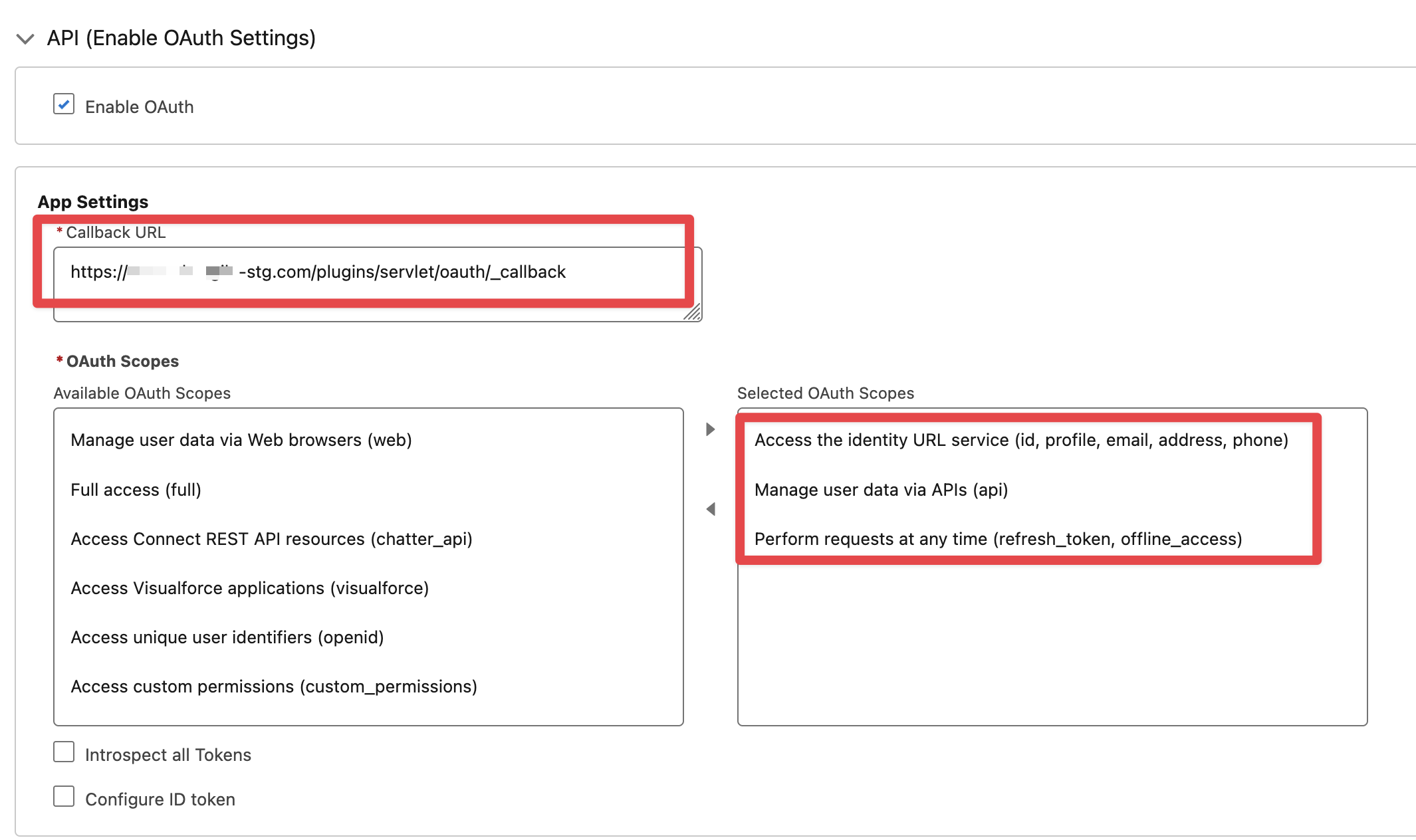
Define an entry for Jira Connected App (or External Client App) in Salesforce->Setup->App Manager with key parameters as shown below:
The Jira callback URL for this will be <Jira Base URL>/plugins/servlet/oauth/_callback
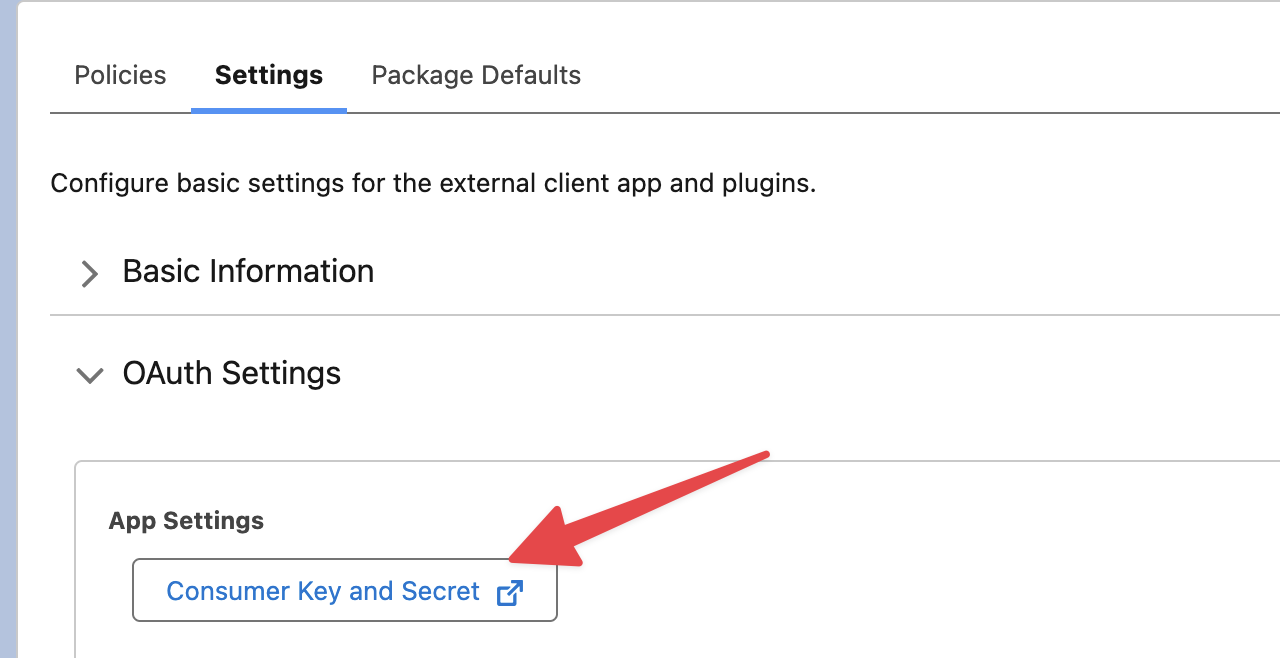
This will result in the generation of Consumer Key and Consumer Secret tokens (shown below)
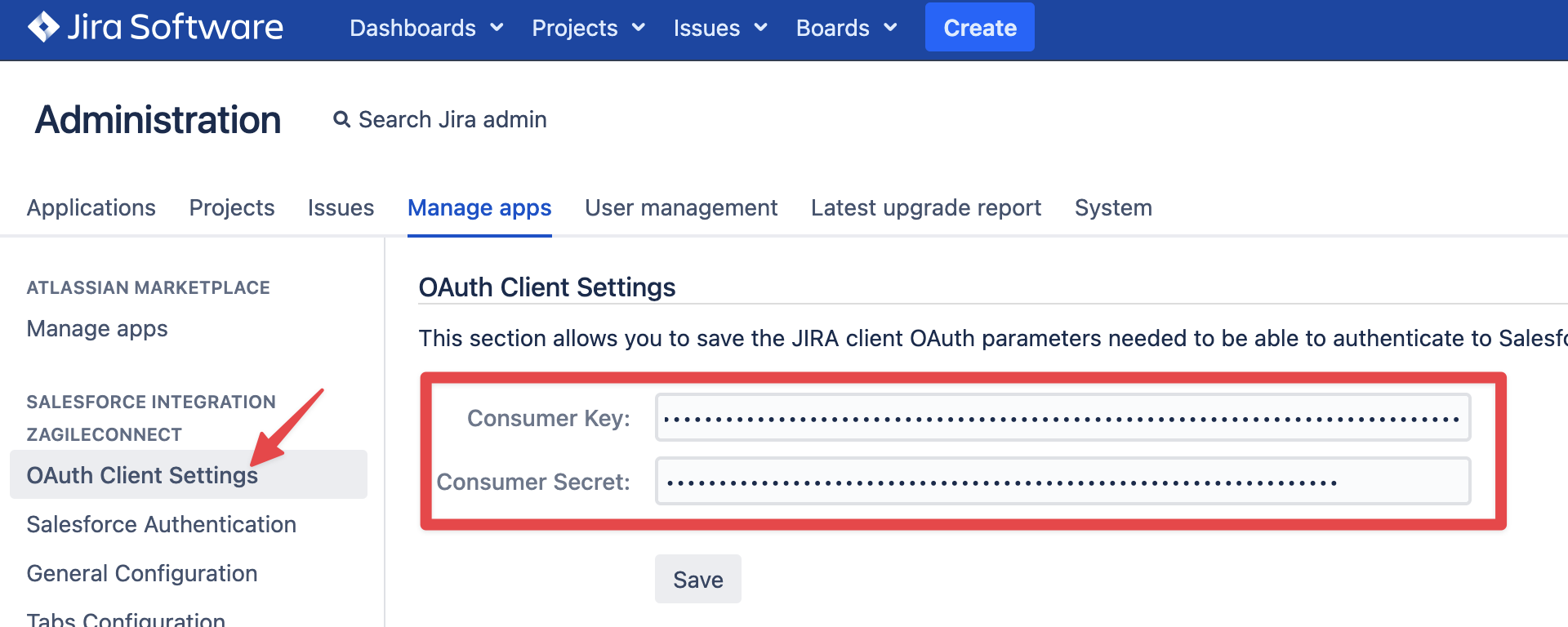
Once you have setup a Connected App / External Client App in Salesforce, you can copy and paste the Consumer Key and Consumer Secret from Salesforce into Jira via zAgileConnect Add-on admin options (OAuth Client Settings), as shown below, to enable the communication.