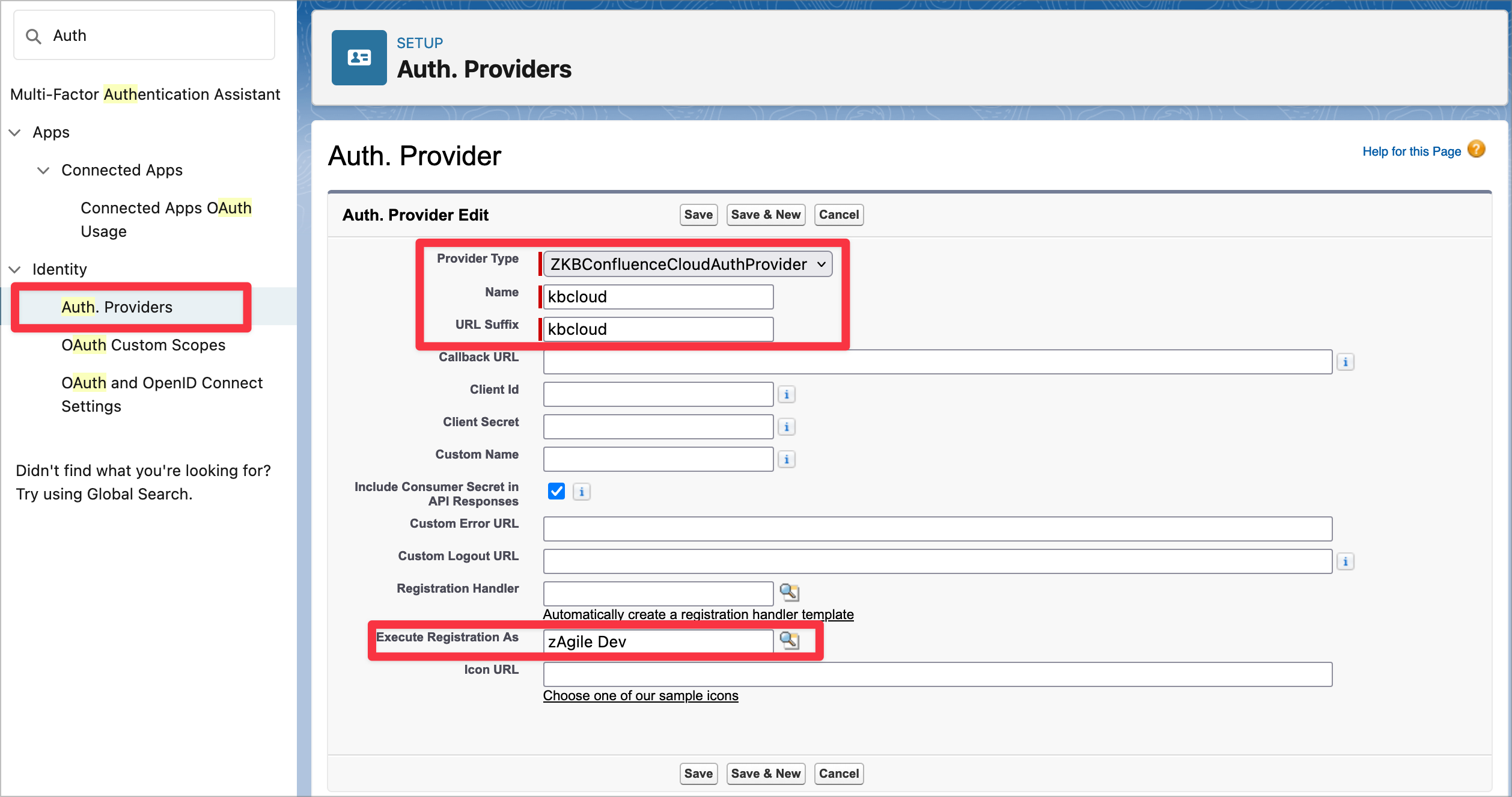
Create a new Auth. Provider in Salesforce Setup using the following parameters:
-
Provider Type: ZKBConfluenceCloudAuthProvider
-
Name: kbcloud (it must be exactly kbcloud)
-
URL Suffix: kbcloud (it must be exactly kbcloud)
-
Execute Registration As: Select your current user.
Login to Confluence using Named Credentials
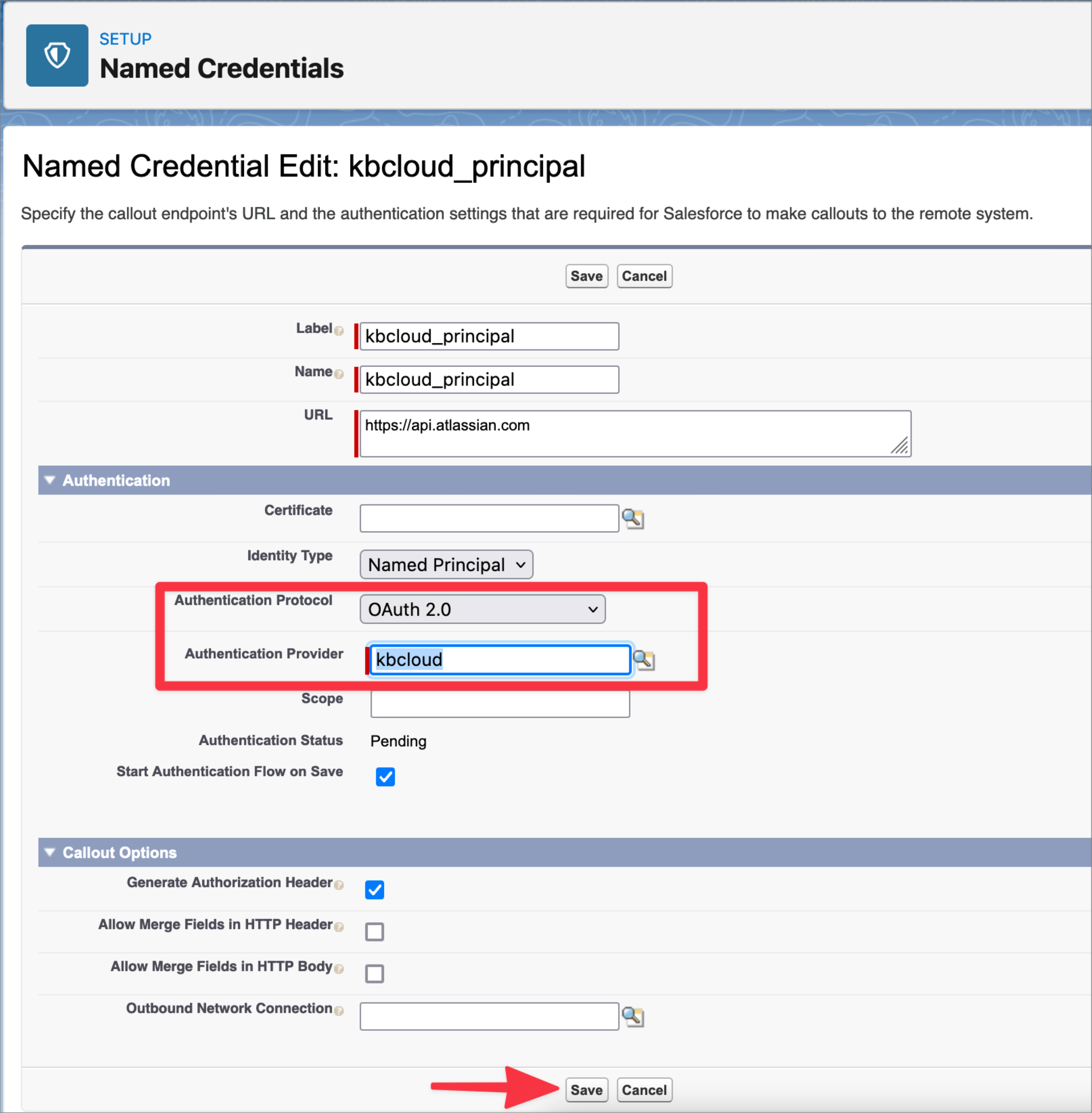
In Named Credentials on Salesforce Setup, edit the kbcloud_principal named credential. Update the following values:
-
Authentication Protocol: OAuth 2.0
-
Authentication Provider: kbcloud
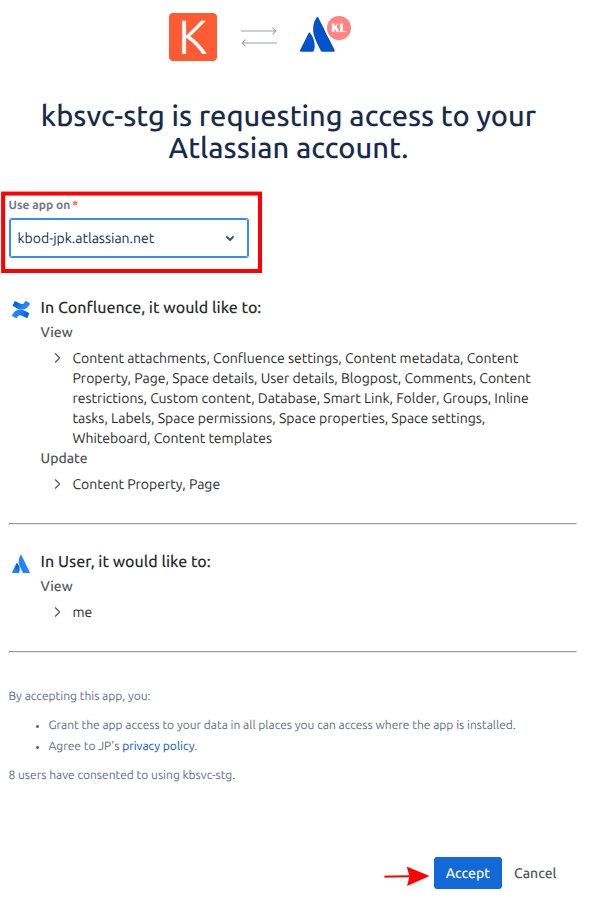
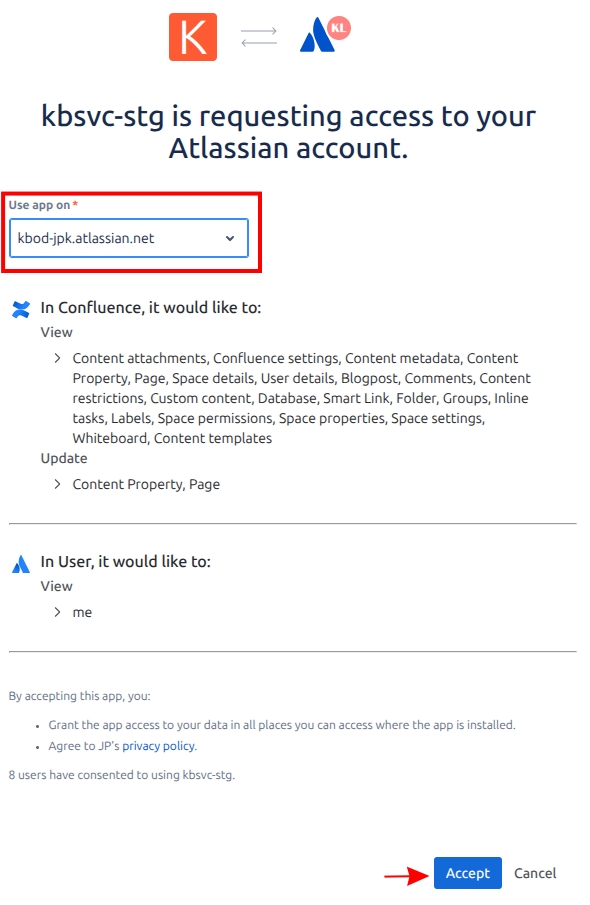
After saving it will redirect you to the Atlassian site to authenticate and allow access to your Confluence Cloud instance.
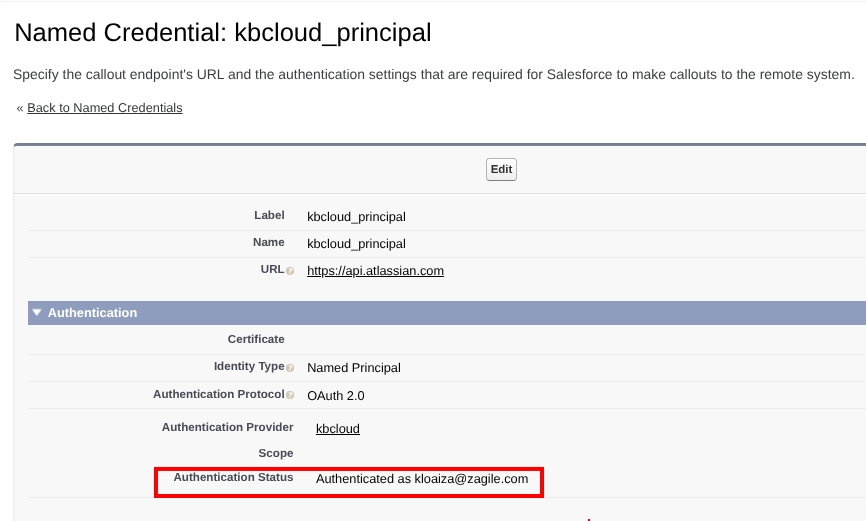
Verify the Authentication Status:
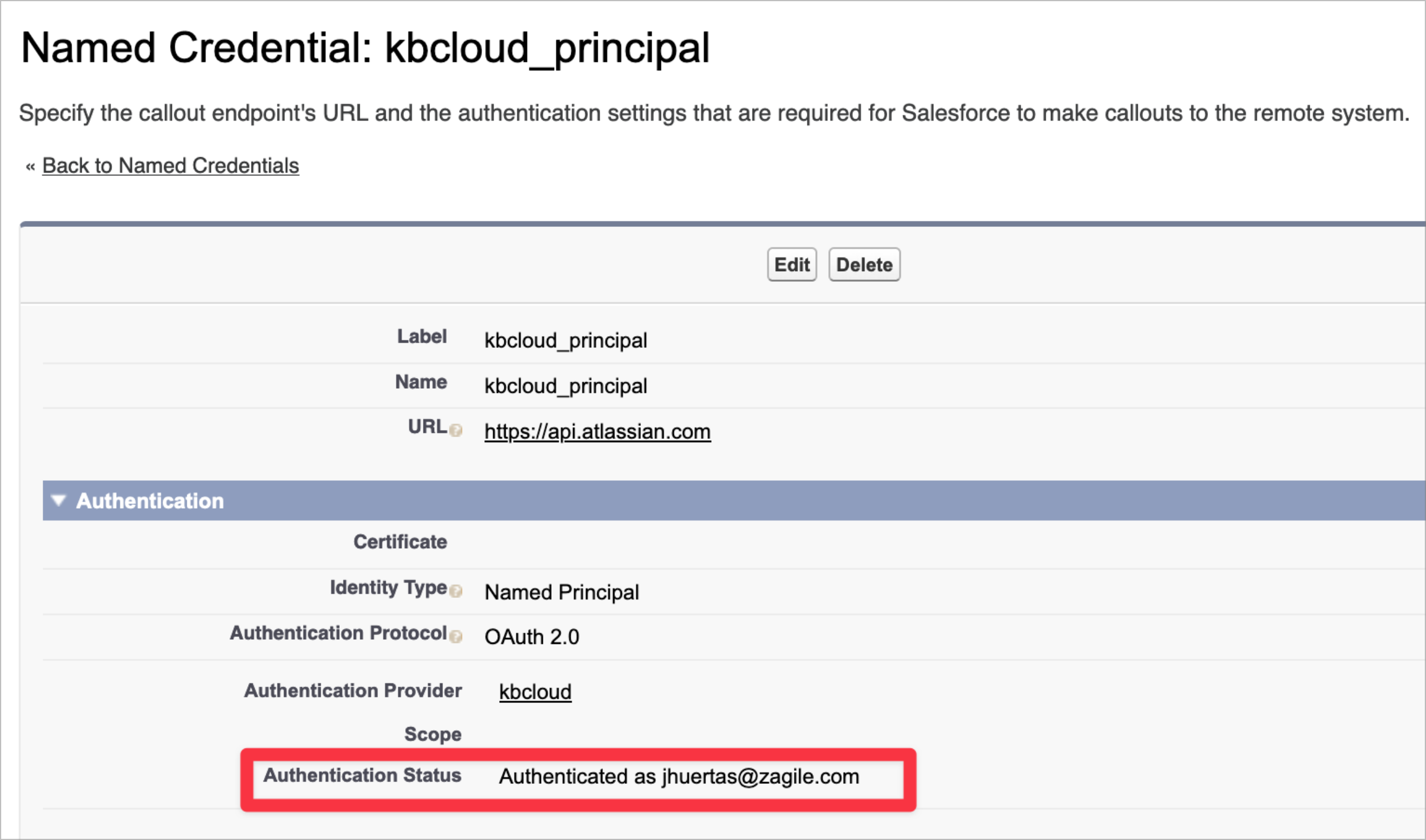
Add the Confluence Connection in Knowledge:Bridge App
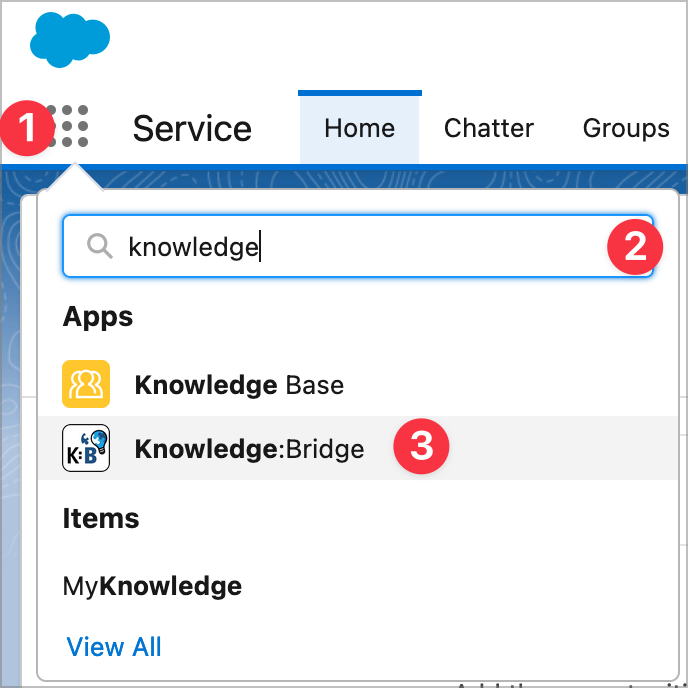
In Salesforce Apps, find the for Knowledge:Bridge App
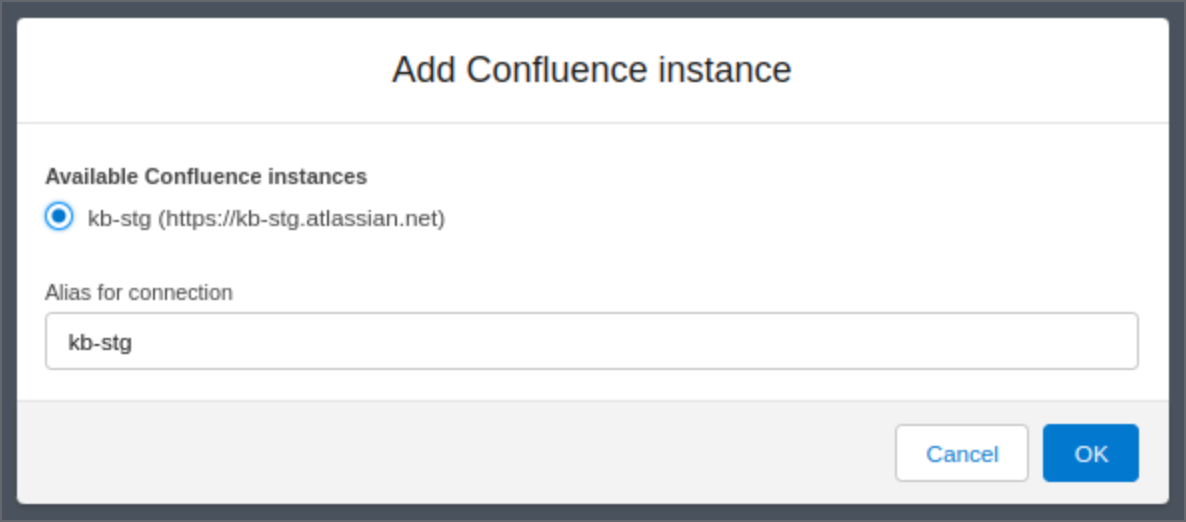
In the K:B Settings Tab, add a new Confluence connection and select an instance from the available Atlassian sites (authenticated previously via named credential) and set an Alias.
How to re-authenticate to Confluence
If re-authentication is needed (for example to use a different Integration user or because the connection is broken) follow the next steps:
In Named Credentials on Salesforce Setup, edit the kbcloud_principal named credential. Do not change any property and just click on save
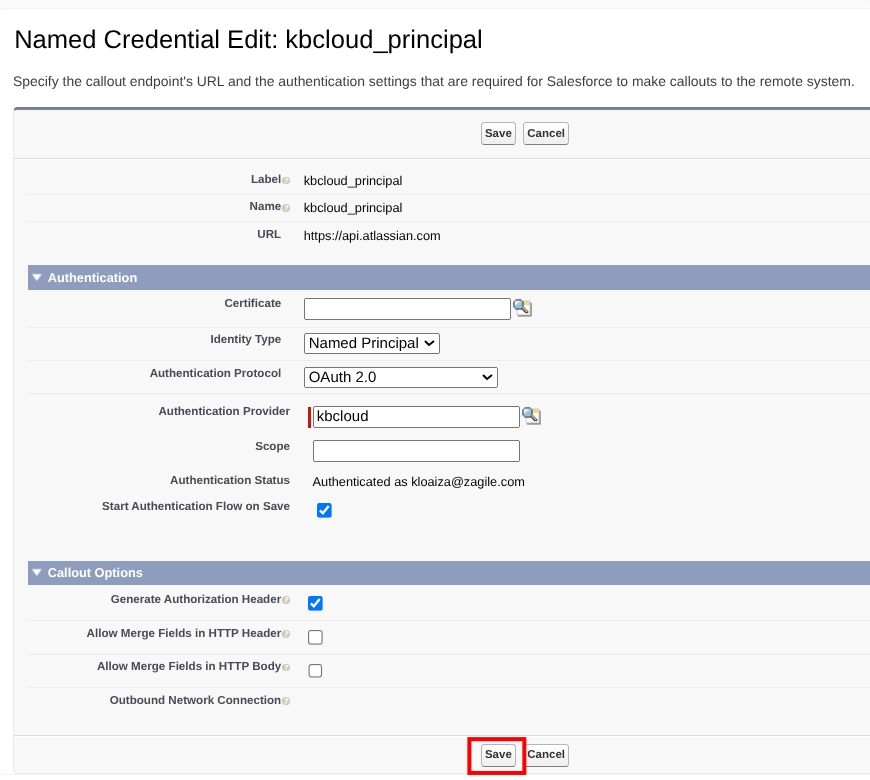
After saving it will redirect you to the Atlassian site to authenticate and allow access to your Confluence Cloud instance.
Verify the Authentication Status: