
Prerequisites
To create a Salesforce object from a Jira Issue, the following prerequisites must be met:
-
The object must be configured for integration with Jira. zAgileConnect comes pre-configured with integration of Salesforce Case and Jira Issue. However, it can also be optionally configured for integration of other Salesforce standard and custom objects with Jira. For more on this, please refer to Integrating Salesforce Object with JIRA Issue
-
The Create Salesforce Objects from Jira option must be enabled in the zAgileConnect package configuration (General Setting).
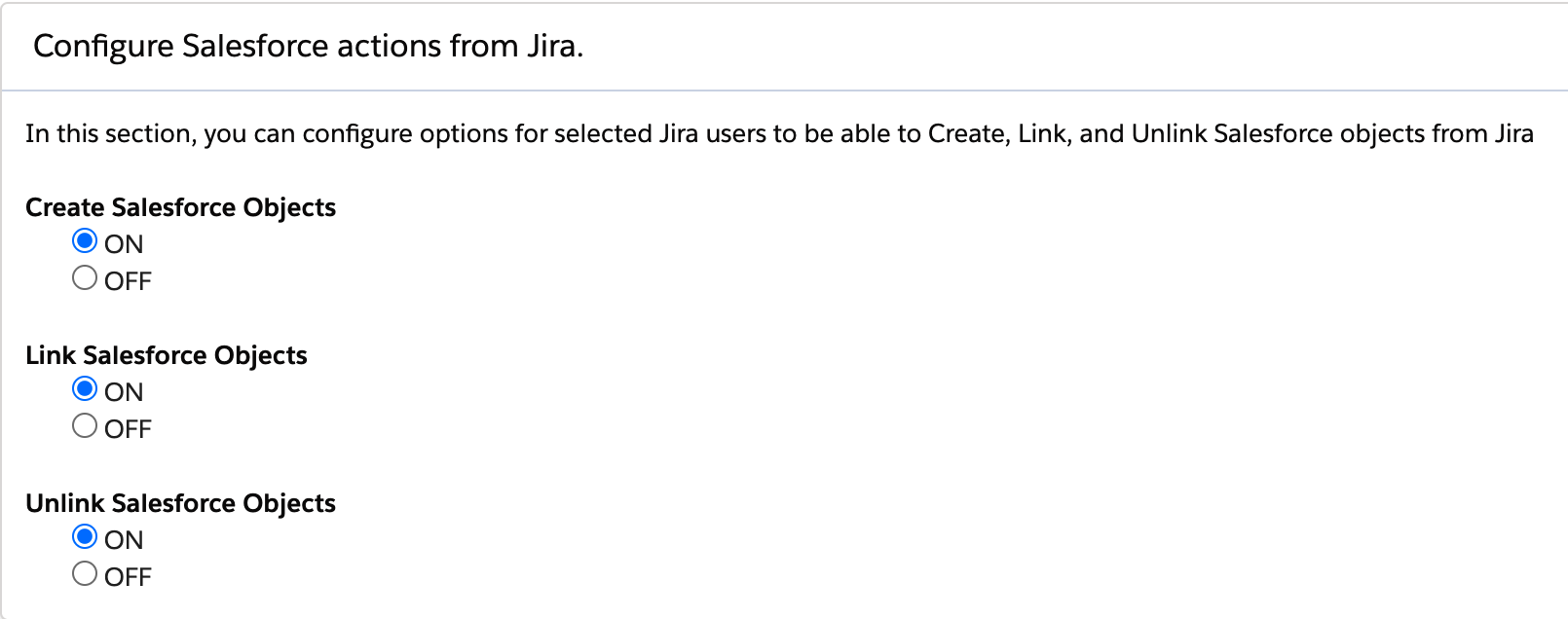
Configuration
Creation of Salesforce Objects from Jira leverages Salesforce Global Create Actions and involves the following steps
-
In Salesforce - Define a Global Action to create a Salesforce object. In the examples presented here, Global Action for creating a Case from Jira is presented.
-
In Jira - 1) Assign Projects and Groups for which to enable the Create action, and 2) Configure the field mapping for the creation.
These steps are described below using Case Creation from Jira as an example.
Define Global Create Action in Salesforce
The example below demonstrates creation of a Global Action for creating a Case
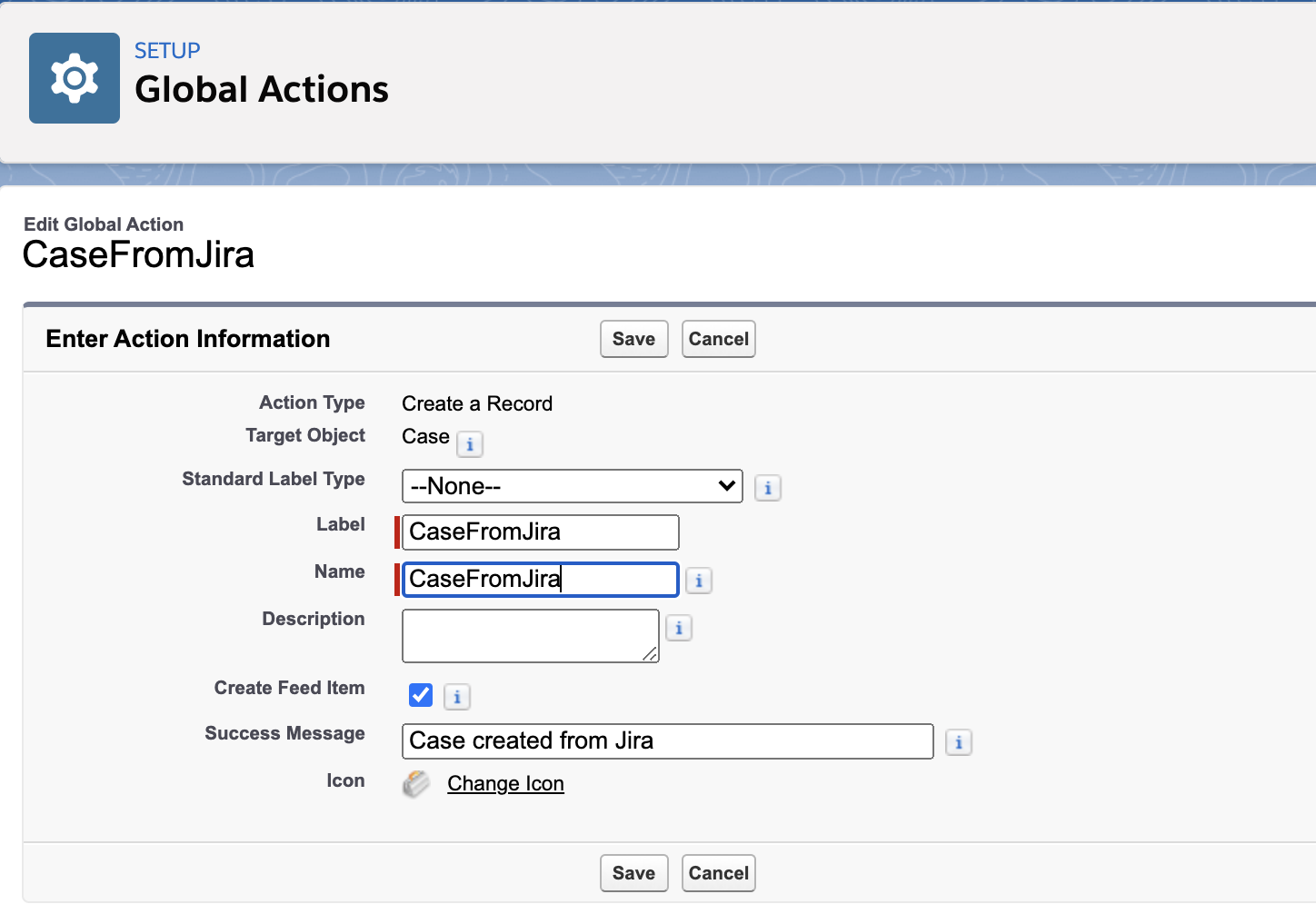
Once created, fields may be selected for the creation dialog.
The fields selected for the Global Action are those that are one of the following:
1) fields mapped to Jira Issue fields, or
2) fields populated with values derived from Salesforce (ex: picklist fields, Related List fields), or
3) fields populated with default values.
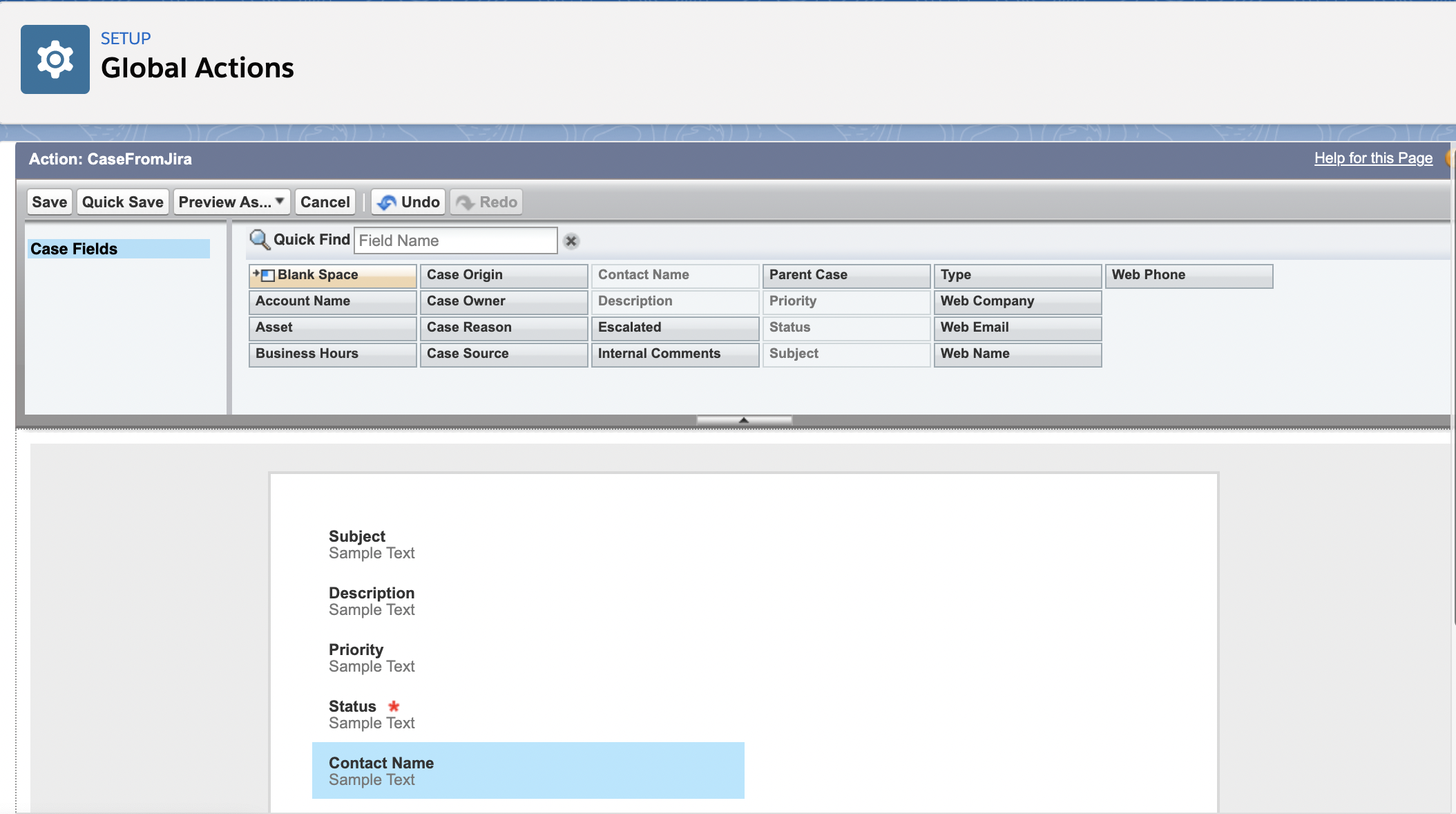
Configure pre-defined values for fields which are auto-populated when the Case is created

Configure Field Mapping in Jira
If Create Salesforce objects feature is enabled in the zAgileConnect Salesforce package (as described above), this feature will show as 'enabled' in zAgileConnect Jira add-on configuration setting (Salesforce Object Configuration) as shown below.
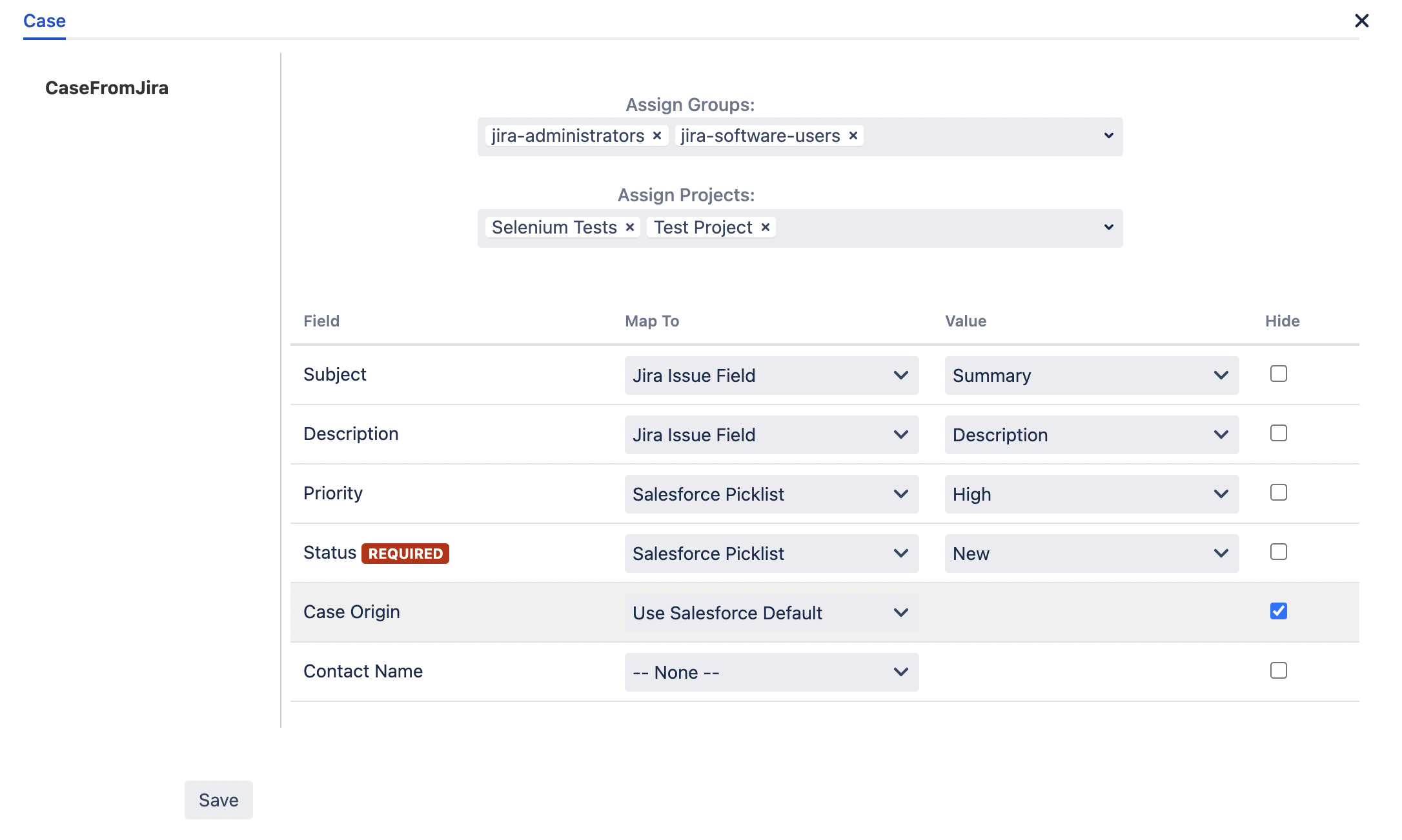
For each Global Action that will be configured for object creation from Jira, Assign Jira Projects and Jira Groups for access to the Create Action
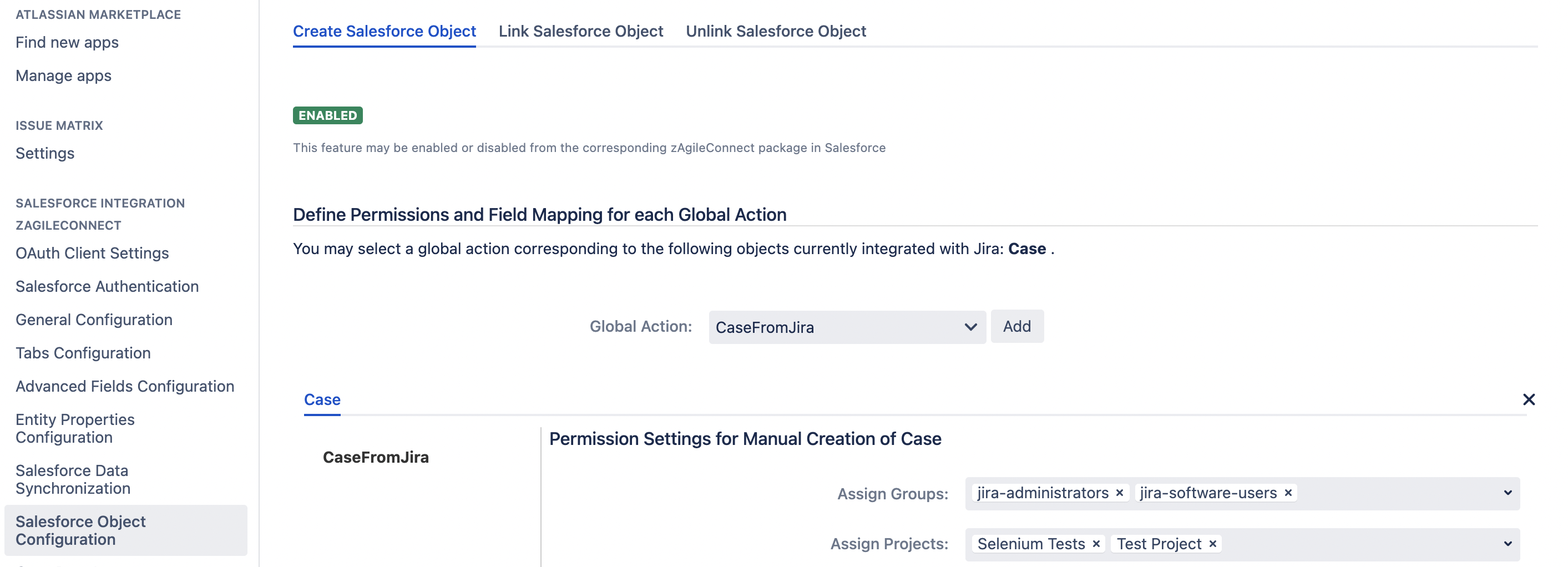
For each Global Action that will be configured for object creation from Jira, map the fields defined in the Global Action to
1) Jira Issue fields,
2) Salesforce fields, or
3) default values.
Fields that are default or auto-populated may also be hidden from the Create dialog.
Creating a Salesforce object from Jira Issue
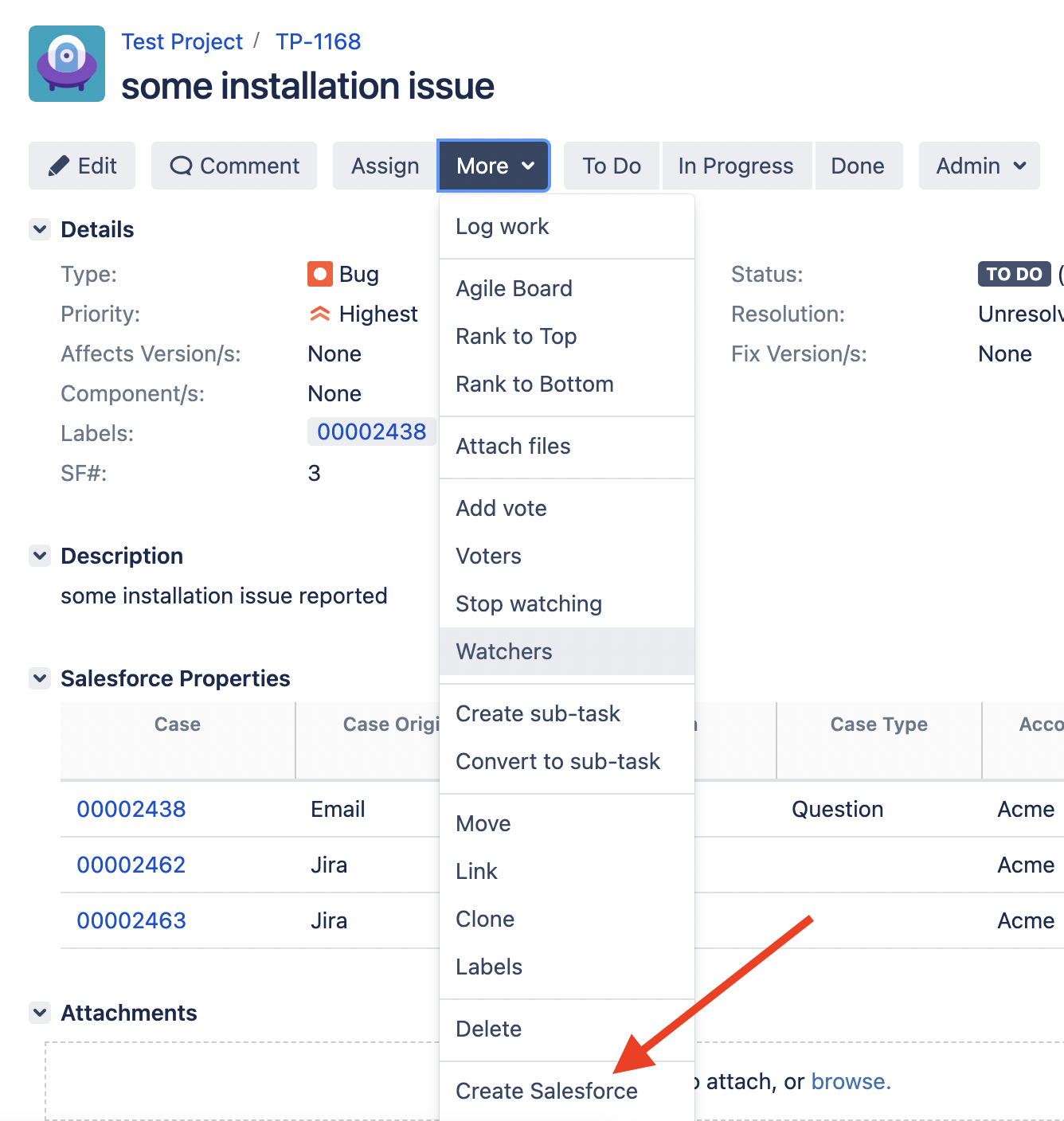
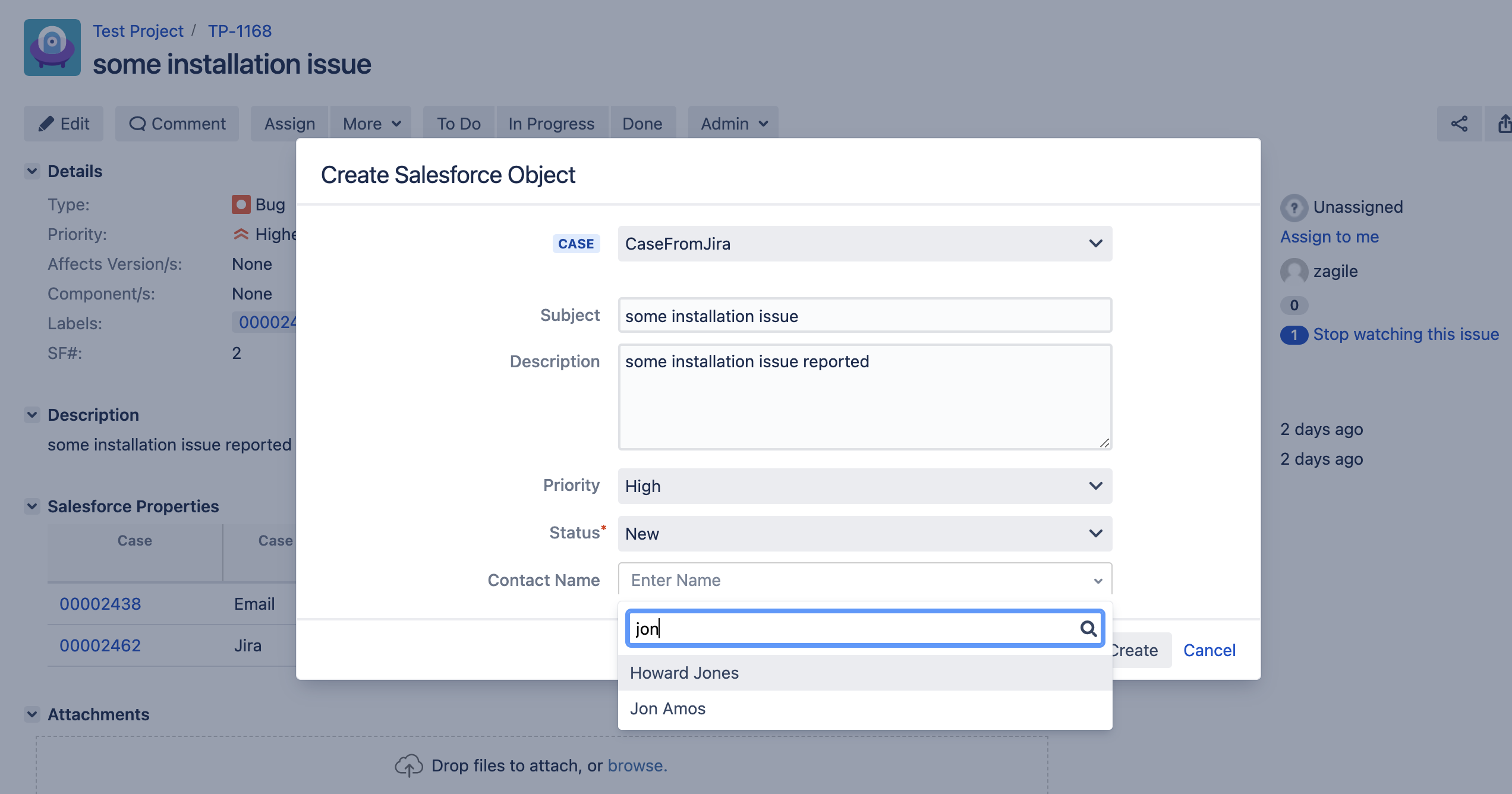
Once configured, the option to create one or more Salesforce objects from Jira, the option may be selected from the Issue Menu (More)
Auto-creation of a Salesforce object from Jira Issue using a Jira Post Function
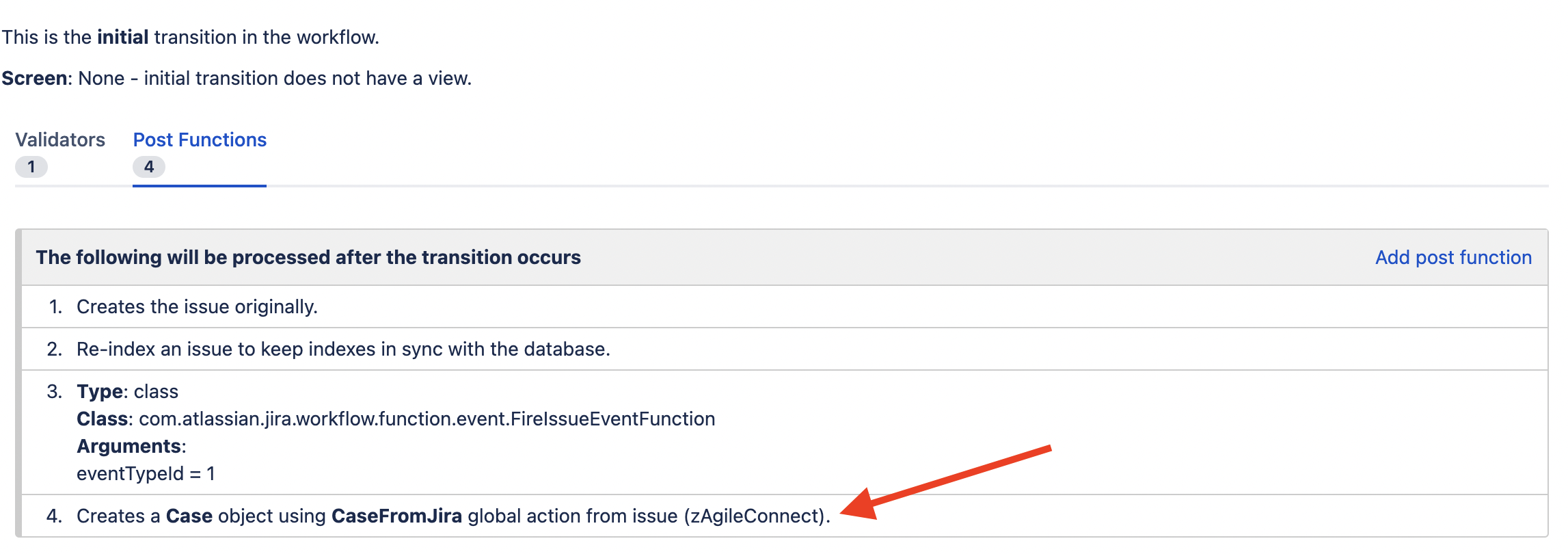
zAgileConnect Jira add-on provides Post Function (Create Salesforce Object Postfunction) for auto-creating Salesforce objects from an Issue using Jira workflow.
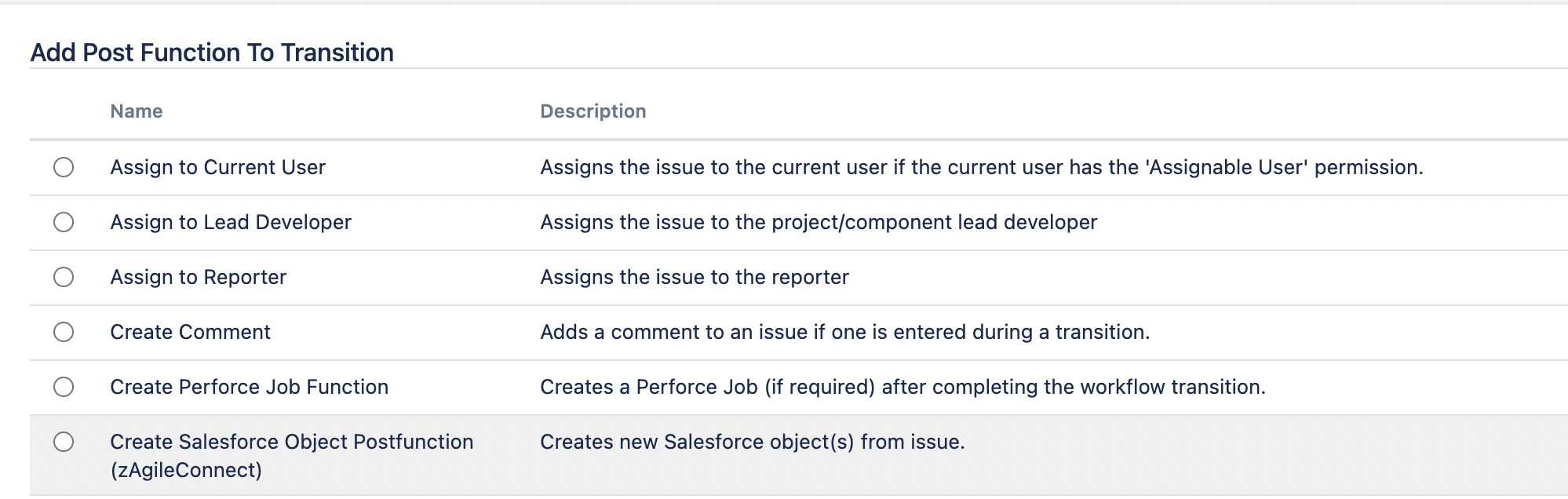
This Post Function can be added to a workflow and configured appropriately for automatic creation of a Salesforce object based on specific Jira Issue events.
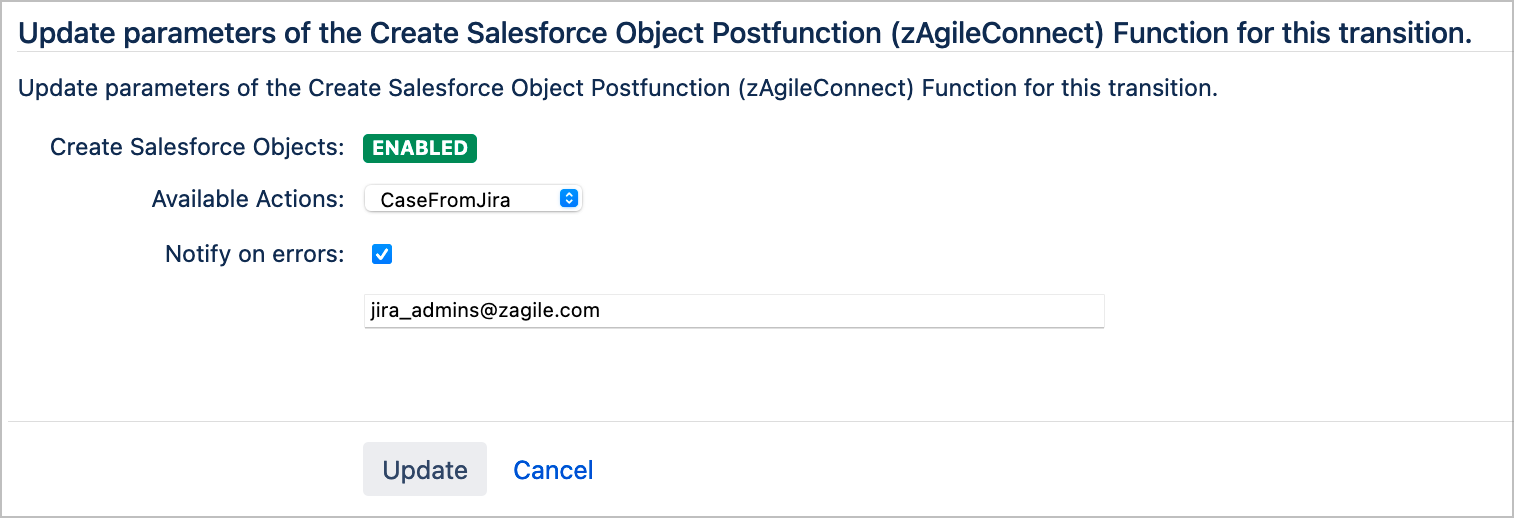
Multiple email addresses for error notification can be set separated by commas.